
Using HiNoter AI note taker allows professionals, students, and content creators to record spoken conversations, convert speech into searchable text, and generate structured summaries without...
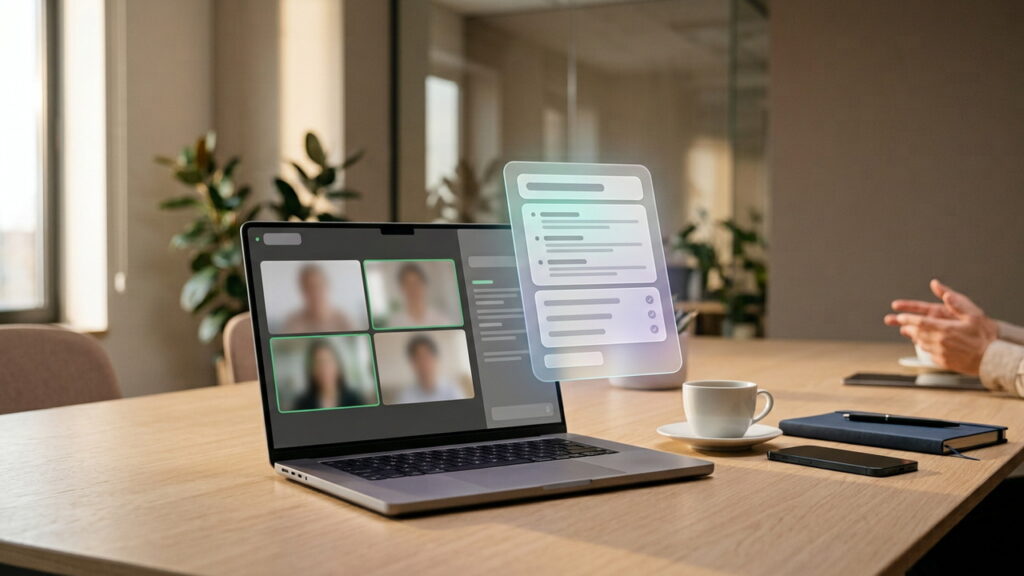
Using HiNoter AI note taker allows professionals, students, and content creators to record spoken conversations, convert speech into searchable text, and generate structured summaries without frantic manual typing. Instead of splitting your attention between listening to a speaker and scribbling down fragmented sentences, you can stay fully engaged in the discussion while automated software captures the details.
Getting reliable results from HiNoter AI note taker depends on clear audio input, thoughtful summary templates, human review of key facts, and strict adherence to recording consent rules. This guide explains how the tool processes spoken audio, which features matter most across daily workflows, and how to set up a dependable note-taking system.
Quick Summary of How HiNoter AI Note Taker Works
At its core, HiNoter AI note taker combines digital voice recording with automated speech recognition and language modeling to turn raw audio into organized written documentation. Users can capture live conversations through a microphone or upload pre-recorded audio and video files for processing.
Once the speech-to-text engine generates a time-stamped transcript, HiNoter AI note taker analyzes the text to extract main topics, key decisions, study points, and follow-up tasks. Because automated transcription accuracy always depends on microphone clarity and speaker pronunciation, reviewing the final output ensures important names, figures, and deadlines remain exact.
Use this quick checklist before integrating the tool into your routine
- Confirm whether you will record live audio on a mobile device or laptop, or upload existing audio and video recordings.
- Test your microphone placement in advance to minimize background noise, room echo, and overlapping voices.
- Notify all participants and obtain explicit recording consent before starting any session with HiNoter AI note taker.
- Select or customize a summary format that matches your goal, such as meeting minutes, lecture outlines, or interview briefs.
- Check the generated transcript against timestamps to verify technical terms, financial numbers, and proper nouns.
- Review your plan’s monthly transcription minute allowance, file size limits, and export options before recording long events.
What HiNoter AI Note Taker Is and How It Processes Audio
Modern knowledge workers spend hours each week in project syncs, client consultations, training seminars, and academic lectures. HiNoter AI note taker is designed to reduce the administrative burden of documenting those sessions by automating both transcription and post-meeting synthesis.
Rather than functioning as a simple voice recorder that leaves you with hours of unlabeled audio files to replay manually, HiNoter AI note taker creates a bridge between spoken dialogue and actionable text. Understanding the two-stage pipeline behind the software helps you prepare better recordings and get cleaner summaries.
Speech-to-Text Capture and Audio Import Options
The first stage inside HiNoter AI note taker is acoustic speech recognition. When you speak into your device microphone or upload a media file, the software segments the audio wave into phonetic units and matches them against trained language models to produce a verbatim or lightly cleaned text transcript.
Flexibility in audio sourcing makes HiNoter AI note taker adaptable to both in-person and remote environments. You can record face-to-face discussions around a conference table, capture online webinars and video calls, or import saved voice memos and lecture recordings from external recorders.
Because the quality of every downstream summary depends entirely on the accuracy of this initial transcript, feeding clean audio into HiNoter AI note taker is the single most effective way to improve your results. Clear vocal separation and low ambient noise allow the speech engine to punctuate sentences naturally and avoid word substitutions.
Automated Summarization and Action Item Extraction
After the raw transcript is assembled, HiNoter AI note taker applies natural language processing to condense long passages of conversation into digestible sections. Instead of reading five thousand words of back-and-forth dialogue, users receive a high-level overview organized by topic headings and bulleted takeaways.
This second stage is where HiNoter AI note taker saves significant post-meeting review time. The software scans the transcript for commitment phrases, deadlines, questions, and decisions, pulling those elements into a dedicated action-item list so teams know what needs to happen next.
Some versions and configurations of HiNoter AI note taker also allow users to query the transcript or regenerate summaries using different structural lenses. If a general summary feels too broad, you can focus on specific segments of the transcript to pull out technical specifications, customer objections, or study definitions.
Core Features to Evaluate in HiNoter AI Note Taker
When evaluating HiNoter AI note taker for personal productivity or team collaboration, look closely at how each feature handles real-world recording conditions. Verify the exact capabilities included in your current software tier, as feature sets and usage caps vary between free trials and paid subscriptions.
| Feature Category | What the Tool Does | Primary User Benefit | What to Verify During Testing |
|---|---|---|---|
| Live Audio Recording | Captures real-time speech through mobile or desktop microphones | Lets you focus on eye contact and conversation without typing | Check background recording stability when switching device screens |
| Media File Import | Accepts uploaded audio and video files from external sources | Converts past recordings, podcasts, and lectures into text | Confirm supported file extensions and maximum upload size limits |
| Time-Stamped Transcripts | Links text paragraphs to exact playback moments in the audio | Allows instant audio verification of unclear or complex quotes | Test how easily you can click a sentence to hear the original voice |
| AI Summary Generation | Condenses full transcripts into structured outlines and takeaways | Cuts post-meeting cleanup and study review time significantly | Check whether summary depth matches technical or detailed discussions |
| Action Item Detection | Extracts tasks, deadlines, and follow-up commitments | Prevents next steps from getting buried in long meeting logs | Verify that assigned owners and dates match what was actually agreed |
| Multi-Language Support | Transcribes and summarizes speech across supported languages | Helps international teams and language learners process content | Test accuracy with regional accents and bilingual terminology |
Live Recording Versus Uploaded Audio and Video Files
Live capture in HiNoter AI note taker is built for spontaneous ideas, in-person classes, and scheduled meetings where you control the recording device right in the room. Starting a live session captures audio directly to the platform and begins building your note as soon as the session concludes or processes in segments.
File uploading gives HiNoter AI note taker a second major workflow for people who record on dedicated hardware. Podcasters using digital field recorders, researchers archiving video interviews, and students downloading recorded campus lectures can upload those files to generate transcripts and study summaries in one place.
Having both live capture and file import inside HiNoter AI note taker means you do not have to maintain separate tools for live meetings and archived media. Always check your internet connection stability before uploading large video files so transfers complete without interruption.
Speaker Identification, Timestamps, and Searchable Text
In multi-person conversations, knowing who said what is just as important as recording the words themselves. HiNoter AI note taker uses timestamps to break long monologues and exchanges into readable blocks linked directly to the underlying audio timeline.
When speakers take clear turns and sit at a consistent distance from the microphone, speaker separation features in HiNoter AI note taker can help distinguish different voices across the conversation. You can then label or review sections by participant so project records reflect accurate attribution.
Searchable text transforms your archive inside HiNoter AI note taker into a personal knowledge base. Instead of scrubbing blindly through a sixty-minute audio bar to find a two-minute budget discussion, you can type a keyword into the search bar and jump straight to the exact timestamp where that term was spoken.
Structured Templates for Meetings, Lectures, and Interviews
A business negotiation, a university biology lecture, and a user-research interview require very different note structures. HiNoter AI note taker addresses this by organizing outputs into structured sections rather than dumping a single wall of unformatted text onto the screen.
For business users, a meeting layout in HiNoter AI note taker highlights agenda topics, core decisions, open questions, and assigned action items. For students and educators, lecture-oriented structuring focuses on key concepts, definitions, chronological explanations, and review questions.
Customizing Summary Formats and Follow-Up Lists
Reviewing how HiNoter AI note taker formats its summaries allows you to tailor the final document before sharing it with colleagues or classmates. If an automated summary combines two separate agenda items, you can edit the headings, reorder bullet points, and refine the wording directly in your workspace.
Adding a quick manual pass over the follow-up list generated by HiNoter AI note taker makes team accountability much clearer. By attaching specific calendar dates and team member names to each extracted action item, you turn an automated draft into a finalized project tracker within minutes of ending a call.
Practical Use Cases for HiNoter AI Note Taker Across Roles
Different professions rely on spoken information in unique ways. Adapting HiNoter AI note taker to your specific daily environment ensures the software complements your existing tools rather than creating extra administrative steps.
Remote Team Meetings and Client Discovery Calls
Project managers, consultants, and sales professionals often jump from one video call to the next with barely five minutes between sessions. Using HiNoter AI note taker during client discovery calls ensures that subtle customer pain points, budget constraints, and technical requirements are captured word for word.
Instead of spending the final hour of your workday trying to decipher hasty handwritten notes from four different calls, you can open HiNoter AI note taker to review clean summaries of each conversation. You can then copy the verified key points directly into your customer relationship management system or project board.
Sharing concise recap notes generated with the help of HiNoter AI note taker also strengthens client trust. Sending a clear summary of agreed milestones and action items within an hour of a consultation shows professionalism and gives stakeholders an immediate opportunity to confirm alignment.
University Lectures, Academic Research, and Study Guides
Students frequently struggle to balance active comprehension with rapid note-taking during fast-paced university lectures. When an instructor explains a complex equation or historical sequence, trying to write down every sentence often causes students to miss the underlying explanation.
With permission from the instructor, running HiNoter AI note taker during a lecture allows students to listen closely, watch visual demonstrations on the board, and jot down only brief conceptual sketches. Afterward, the full transcript and structured summary provide a complete text reference for exam preparation.
Academic researchers and graduate students can also use HiNoter AI note taker to process qualitative research interviews and seminar discussions. Having a time-stamped draft transcript speeds up thematic coding and makes it effortless to locate exact quotes for citations.
Journalism, Podcast Production, and Content Drafting
Journalists, copywriters, and podcast hosts routinely work with long-form spoken interviews that must be edited into articles, show notes, or social media clips. Manually transcribing a forty-five-minute interview can take three to four hours of tedious typing and audio rewinding.
Processing that same interview through HiNoter AI note taker produces a playable text draft in a fraction of the time. Writers can scan the automated summary to map out the narrative arc of their article, then click the timestamps in the full transcript to verify exact quotes before publication.
Turning Voice Memos into Organized Project Briefs
Many creative professionals and executives think best while walking or commuting rather than sitting in front of a blank keyboard. Recording a five-minute stream-of-consciousness voice memo into HiNoter AI note taker lets you talk through an article outline, product specification, or event plan naturally.
Once you finish speaking, HiNoter AI note taker turns your unstructured spoken thoughts into a neat bulleted brief. You can take that organized outline straight to your desktop editor, bypassing writer’s block and cutting drafting time in half.
How to Get Higher Transcription Accuracy with HiNoter AI Note Taker
Even the most advanced speech recognition models cannot invent clarity out of muffled, distorted, or echo-heavy audio. Following basic acoustic habits when recording with HiNoter AI note taker dramatically improves word recognition and reduces the time you spend fixing typos.
Microphone Placement and Room Acoustics
Distance and hard reflective surfaces are the two biggest enemies of clean audio capture. When using HiNoter AI note taker in a physical meeting room, place the recording device centrally on the table within one to two meters of the primary speakers, and keep it away from humming projector fans, air conditioning vents, or laptop exhaust ports.
Avoid setting a smartphone or microphone directly on a bare glass table where people are tapping pens, setting down coffee mugs, or shuffling papers. Placing your device on a soft notebook, mouse pad, or cloth coaster isolates the microphone from table vibrations and gives HiNoter AI note taker a much cleaner vocal signal.
For remote work or solo recording with HiNoter AI note taker, a dedicated USB cardioid microphone or a wired headset microphone placed close to your mouth will always outperform a built-in laptop microphone across a reverberant room. Cleaner input audio directly translates into sharper punctuation and fewer misheard words.
Handling Technical Jargon, Accents, and Proper Nouns
Every industry uses specialized acronyms, brand names, medical terms, and personal names that sound similar to everyday conversational words. While HiNoter AI note taker handles standard vocabulary and context well, unusual proper nouns or rapid cross-talk can still cause phonetic misinterpretations in any automated tool.
To help HiNoter AI note taker produce cleaner context, encourage meeting participants to state their names clearly at the beginning of a session and avoid talking over one another. If a critical project code, client surname, or technical specification is introduced, spelling it out or repeating it clearly in a full sentence helps both human listeners and the transcription model.
Why Human Review Remains Essential for Critical Records
No automated speech-to-text system or language model is immune to occasional transcription errors or summary misinterpretations. A single misheard word such as “fifteen” instead of “fifty” or “can” instead of “cannot” can completely reverse the meaning of a contractual, financial, or academic statement.
Always treat the output of HiNoter AI note taker as an intelligent, time-saving first draft rather than an unverified legal record. Spend five minutes after each important session skimming the summary and listening to the timestamped audio for any numbers, commitments, or sensitive decisions before distributing the notes to others.
Comparing HiNoter AI Note Taker with Other Note-Taking Methods
Choosing the right documentation workflow depends on how you balance convenience, participant comfort, and editing control. Comparing HiNoter AI note taker against traditional manual typing, standard voice recorders, and intrusive virtual meeting bots clarifies where each tool fits best.
| Documentation Method | Capture Experience | Post-Session Effort | Best Practical Fit |
|---|---|---|---|
| HiNoter AI Note Taker | Direct microphone capture or file upload with automated transcription and summaries | Low effort; requires a quick human review of key names and action items | Hybrid workers, students, interviewers, and professionals wanting clean notes without bot clutter |
| Manual Pen or Keyboard Notes | Splits attention between listening, thinking, and rapid writing | High effort; requires filling in memory gaps and rewriting messy shorthand | Short one-on-one chats or sensitive discussions where audio recording is not permitted |
| Basic Digital Voice Recorder | Reliable raw audio capture with zero text or structural processing | Very high effort; requires listening back in real time to type out notes | Archival field audio where written summaries are not needed immediately |
| Virtual Calendar Meeting Bots | Joins video calls as a visible extra participant tile in the room | Low effort for video calls, but cannot record spontaneous in-person or offline audio easily | Large corporate webinars where automated bot attendance is standard company policy |
App-Based AI Capture Versus Intrusive Meeting Bots
Many cloud transcription services rely on automated calendar bots that dial into video conferences as a separate named participant. While meeting bots work in large webinars, they often feel intrusive during intimate client consultations, coaching sessions, or sensitive interviews, and they offer no help when an impromptu conversation happens in person.
Using HiNoter AI note taker through direct device recording or file import gives you control over when and how capture begins without inviting an unannounced bot tile into every calendar invite. You still must inform participants and get their consent to record, but the conversation stays natural and works equally well across offline meetings, lectures, and voice memos.
Evaluating Subscription Tiers, Minute Limits, and Export Formats
Before adopting HiNoter AI note taker for heavy daily use, examine how the platform structures its recording quotas and file export pathways. Most AI transcription tools meter usage by monthly audio minutes, maximum length per single recording, or number of AI summary generations.
Calculate your realistic weekly recording volume so you do not run out of minutes mid-month during an important project or exam week. If you attend ten hours of meetings or lectures each week, make sure your chosen HiNoter AI note taker plan comfortably covers at least two thousand four hundred minutes per month, or selectively record only high-priority sessions.
Check how easily you can move finished notes out of HiNoter AI note taker into your permanent workspace. Look for clean copy-and-paste formatting, plain text or document downloads, and smooth sharing options so your transcripts and summaries integrate cleanly into Notion, Google Docs, Microsoft Word, or your team knowledge base.
Pros and Cons of Using HiNoter AI Note Taker
Weighing the practical productivity gains against the operational limits of automated transcription helps you set realistic expectations. Review both sides before making HiNoter AI note taker your primary system for meeting and lecture capture.
Pros of using HiNoter AI note taker
- Frees your hands and eyes during meetings and lectures so you can listen actively and contribute to the discussion.
- Converts long spoken recordings into structured summaries, topic outlines, and action items within minutes.
- Supports both live microphone recording and uploaded audio or video files for flexible daily workflows.
- Links text transcripts to audio timestamps so you can verify exact quotes without replaying an entire one-hour recording.
- Captures spontaneous voice memos on the go and turns spoken brainstorming into organized written drafts.
Cons of using HiNoter AI note taker
- Transcription accuracy drops when recording in noisy cafés, echoey halls, or rooms where multiple people speak at once.
- Specialized industry acronyms, rare proper nouns, and heavy background accents still require manual proofreading and correction.
- Cloud processing and file uploads require a dependable internet connection to generate transcripts and AI summaries.
- Monthly minute allowances and maximum file length limits on entry tiers can restrict heavy multi-hour power users.
- Requires explicit participant notification and legal recording consent before capturing private or business conversations.
Step-by-Step Workflow to Set Up HiNoter AI Note Taker
Building a consistent habit around before-meeting prep and post-meeting review ensures your notes stay organized rather than piling up in an unread inbox. Follow this seven-step workflow to get the highest accuracy and value from HiNoter AI note taker.
- Create your account on HiNoter AI note taker, review your plan’s monthly minute allowance, and grant microphone permissions on your smartphone, tablet, or computer.
- Run a two-minute test recording in your normal workspace to check microphone input levels, verify playback clarity, and explore the summary formatting options.
- Position your device or external microphone centrally before a live session, close noisy background applications or windows, and silence phone vibration alerts.
- Inform everyone in the room or on the call that you plan to use HiNoter AI note taker for meeting notes, and wait for clear verbal or written consent before pressing record.
- Start the live recording—or upload your saved audio file after the session—and assign a clear, searchable title that includes the date, project name, and session topic.
- Select the appropriate summary style in HiNoter AI note taker once transcription finishes, and review the generated key takeaways and action items against the original transcript.
- Correct any misspelled names or technical figures using the timestamp playback, then export or share the finalized notes with your team or study group right away.
Following this repeatable routine takes less than ten minutes after a one-hour meeting. By naming files consistently and verifying action items immediately in HiNoter AI note taker, your archive stays clean and reliable over months of use.
Privacy, Recording Consent, and Data Security Best Practices
Recording spoken conversations carries legal, ethical, and professional responsibilities that every user must take seriously. Whether you use HiNoter AI note taker in a corporate boardroom, a university classroom, or a freelance interview, transparency and data protection come first.
Understanding One-Party and All-Party Recording Consent
Telecommunications and wiretapping laws governing audio recording vary significantly by country, state, and province. Some jurisdictions follow one-party consent rules, while many others enforce strict two-party or all-party consent laws that make it illegal to record a private conversation unless every single participant gives permission.
When a remote meeting or phone call crosses state or international borders, the strictest applicable consent law generally applies. Regardless of local minimums, the safest and most professional practice when using HiNoter AI note taker is to announce that you would like to record the session for note-taking purposes and obtain explicit permission from everyone present.
In academic and educational settings, check your institution’s syllabus policies before turning on HiNoter AI note taker in a lecture hall or seminar. Many professors welcome personal study recordings when asked in advance, while others restrict recording to protect intellectual property or student discussion privacy.
Protecting Sensitive Business, Legal, and Medical Information
Not every conversation belongs on a cloud-connected transcription platform. Before recording with HiNoter AI note taker, check your organization’s information security policies, non-disclosure agreements, and industry compliance rules.
Highly regulated fields such as healthcare, legal counsel, defense contracting, and financial services enforce strict rules around patient health information, attorney-client privilege, and trade secrets. Never use a general consumer account on HiNoter AI note taker to record protected patient consultations, confidential legal strategy, or unannounced corporate earnings data unless your compliance team has formally approved the software and its data processing terms.
Also practice good digital hygiene with your saved notes inside HiNoter AI note taker. Protect your account with a strong unique password, avoid sharing public view links to transcripts that contain private contact details or internal passwords, and delete raw audio recordings once finalized meeting minutes have been archived in your secure company repository.
Common Mistakes to Avoid When Using HiNoter AI Note Taker
Even powerful AI tools can create confusion if users treat automated outputs carelessly. Avoiding these common pitfalls keeps your workflow with HiNoter AI note taker fast, accurate, and professional.
- Distributing raw AI-generated summaries to clients or executives without spending five minutes verifying names, financial figures, and action owners.
- Placing the recording smartphone right next to a laptop cooling fan, coffee machine, or noisy window, which drowns out distant speakers across the table.
- Recording a three-hour workshop as one massive uninterrupted file instead of breaking it into topical segments at scheduled breaks for cleaner summaries.
- Leaving finished recordings labeled with generic default timestamps instead of renaming each note in HiNoter AI note taker with the client name, course code, and date.
- Forgetting to ask participants for recording permission at the start of a call, which can damage professional trust and violate recording consent laws.
Taking a moment to pause recording during off-the-record personal chatter and organizing notes into clear folders helps HiNoter AI note taker serve as a dependable productivity partner every day.
FAQ’s
What is HiNoter AI note taker used for?
HiNoter AI note taker is used to record or import spoken audio from meetings, lectures, interviews, and voice memos, automatically converting speech into searchable text transcripts and structured summaries.
Can HiNoter AI note taker transcribe pre-recorded audio and video files?
Yes, alongside live microphone recording, HiNoter AI note taker allows users to upload existing audio and video files to generate time-stamped transcripts, key takeaways, and action items.
How accurate is the transcription in HiNoter AI note taker?
HiNoter AI note taker delivers strong accuracy when recording clear speech in quiet rooms, though heavy background noise, overlapping voices, and rare technical jargon still require a quick human proofread.
Is it legal to record meetings with HiNoter AI note taker?
Recording is legal when you follow applicable regional wiretapping laws and organizational policies, which in many jurisdictions require notifying all participants and obtaining their explicit consent before recording.
How can I improve summary quality in HiNoter AI note taker?
You can improve output quality in HiNoter AI note taker by placing your microphone close to speakers, stating agenda topics and action items clearly aloud, and reviewing the generated text immediately after the session.
Who benefits most from using HiNoter AI note taker?
Remote professionals, project managers, university students, researchers, journalists, and content creators benefit most from using HiNoter AI note taker to save manual typing time and stay present during conversations.
Conclusion
Adopting HiNoter AI note taker gives busy professionals, students, and creators a practical way to capture spoken knowledge without sacrificing eye contact or active participation. By combining automated speech-to-text transcription with structured summaries and action-item extraction, the software turns hours of meetings, lectures, and voice memos into searchable, organized records.
To get the best long-term value from HiNoter AI note taker, pair good microphone placement and clear participant consent with a brief post-session human review of names, figures, and deadlines. When you treat automated notes as a fast, structured first draft and verify key details before sharing, your daily documentation becomes both effortless and dependable.