
Screen recording has become an essential tool for many users, including students, content creators, educators, gamers, and professionals. Whether you need to create tutorials, record...
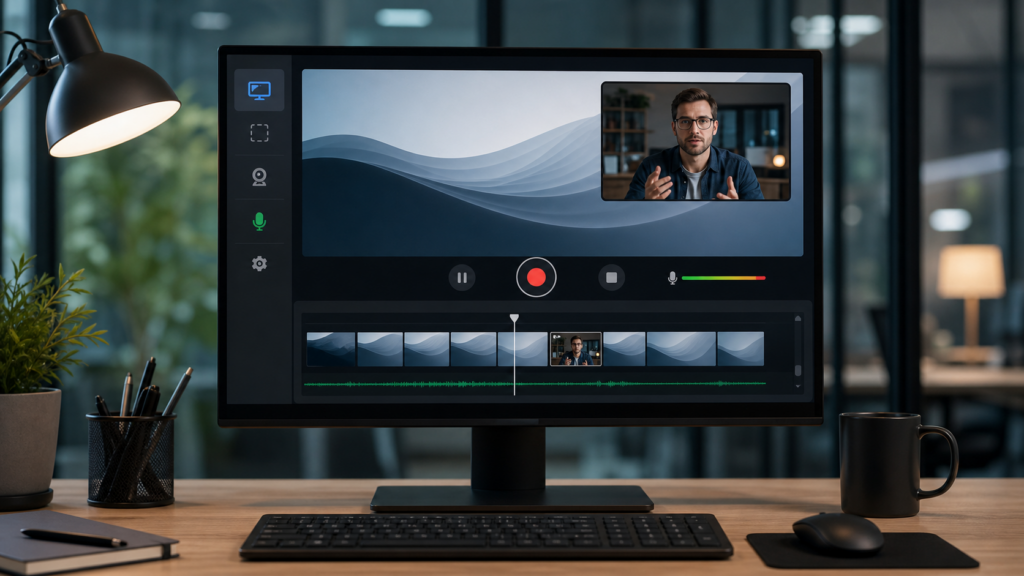
Screen recording has become an essential tool for many users, including students, content creators, educators, gamers, and professionals. Whether you need to create tutorials, record online meetings, capture gameplay, or save important moments from your computer screen, having the right recording software makes the process much easier. iTop Screen Recorder is a popular screen capture solution designed to help users record their screens with flexible settings and useful features.
A reliable screen recorder should provide more than just basic video capture. Users often need options such as recording specific areas of the screen, capturing audio, adding webcam footage, adjusting video quality, and saving files in different formats. A good tool simplifies these tasks while maintaining smooth performance and clear output. This is where iTop Screen Recorder helps users create professional-looking recordings without requiring advanced technical skills.
What Is iTop Screen Recorder?
iTop Screen Recorder is a desktop-based screen recording software that allows users to capture activities happening on their computer screens. It is designed for different recording purposes, including creating educational videos, software tutorials, presentations, demonstrations, and personal recordings.
Unlike basic built-in screen capture tools, dedicated screen recording software usually provides more control over the recording process. Users can select specific screen areas, record full displays, capture system sounds, and include microphone input when needed.
The software is suitable for beginners because it focuses on a simple interface while still offering features that experienced users may find useful.
Why Screen Recording Software Is Important Today
The demand for screen recording has increased because digital communication and online learning have become more common. People now use recorded videos for training, sharing information, troubleshooting problems, and creating online content.
Creating Tutorials and Educational Content
Teachers, trainers, and online instructors often use screen recordings to explain complex topics. A recorded demonstration allows viewers to follow instructions at their own pace.
For example, a software trainer can record each step of using a program instead of explaining every action through text. This creates a more engaging learning experience.
Recording Professional Presentations
Businesses frequently use screen recordings for internal communication. Teams can record product demonstrations, project updates, and training sessions for employees.
A recorded presentation saves time because team members can watch it whenever convenient instead of attending repeated meetings.
Capturing Gaming and Entertainment Content
Gamers and content creators regularly record gameplay sessions, reviews, and live reactions. Screen recording tools help capture high-quality videos that can later be edited and shared.
Main Features of iTop Screen Recorder
A screen recorder becomes valuable when it offers practical features that match different user requirements. Several functions make modern recording tools more flexible and convenient.
Full Screen and Custom Area Recording
One important feature of iTop Screen Recorder is the ability to capture different areas of the screen. Users may record their entire display or choose a specific section depending on their needs.
For tutorials, recording a selected application window can remove unnecessary distractions. For presentations, full-screen recording may provide a better viewing experience.
Audio Recording Options
Audio plays an important role in creating effective screen recordings. Users often need to capture system sounds, microphone commentary, or both at the same time.
This feature is useful for:
- Video tutorials
- Online classes
- Software demonstrations
- Voice explanations
- Gaming videos
Clear audio helps viewers understand the content more easily.
Webcam Recording Support
Many creators prefer adding their webcam view while recording their screens. This creates a more personal connection with viewers.
Webcam recording is useful for:
- Online courses
- Video presentations
- Product demonstrations
- Reaction videos
Combining screen footage with webcam content can make videos appear more interactive.
High-Quality Video Capture
Video quality is one of the most important factors when selecting recording software. A good recorder should produce clear visuals without making the process complicated.
High-quality recordings help ensure that small details, text, and interface elements remain visible. This is especially important when creating software guides or instructional videos.
Simple Editing Features
Many users want to make quick improvements after recording. Basic editing options can help remove unwanted sections or improve the final presentation.
Simple editing capabilities are useful for users who do not want to depend on separate video editing software for every small adjustment.
How to Use iTop Screen Recorder Effectively
Using a screen recorder becomes easier when you follow a planned process. Proper preparation can improve the final video quality.
Prepare Your Recording Environment
Before starting a recording, remove unnecessary applications and notifications from your screen. A clean workspace creates a more professional result.
You should also check:
- Microphone quality
- Available storage space
- Screen resolution
- Background applications
These small steps can prevent common recording problems.
Choose the Right Recording Settings
Different recording purposes require different settings.
For example:
- Tutorials may need clear video quality and microphone audio.
- Gaming videos may require smooth performance and high frame rates.
- Meetings may focus more on voice clarity.
Selecting suitable settings before recording saves time during editing.
Test Before Recording Important Content
A short test recording helps identify possible issues. You can check whether the audio level is correct and whether the screen appears properly.
Testing is especially important for professional presentations and educational videos.
Benefits of Using iTop Screen Recorder
Screen recording software provides several advantages for personal and professional users.
Saves Time
Instead of writing long instructions, users can record a process visually. A short video can often explain something more effectively than multiple pages of text.
Improves Communication
Visual explanations are easier for many people to understand. Screen recordings allow users to demonstrate actions clearly.
Supports Remote Work
Remote teams often rely on recorded videos for updates, training, and troubleshooting. Screen recording helps maintain better communication between team members.
Helps Create Online Content
Content creators use screen recording tools to produce tutorials, reviews, demonstrations, and educational videos.
Common Uses of iTop Screen Recorder
Different industries and users benefit from screen recording technology.
For Students
Students can record online lectures, create project presentations, and save educational demonstrations for later review.
For Teachers
Educators can prepare video lessons and explain digital topics through step-by-step demonstrations.
For Businesses
Companies can create employee training materials, customer guides, and internal communication videos.
For Software Developers
Developers can record software demonstrations, bug reports, and feature explanations to improve collaboration.
Tips for Creating Better Screen Recordings
A professional-looking recording depends on more than the software itself. Good preparation and presentation techniques also matter.
Keep Your Screen Organized
A cluttered desktop can distract viewers. Organize files and close unnecessary programs before recording.
Speak Clearly
If your recording includes voice narration, speak slowly and clearly. Good explanations improve the viewer experience.
Plan Your Content
Having a simple outline before recording prevents mistakes and unnecessary pauses.
Maintain Consistent Quality
Use suitable resolution settings and avoid changing recording conditions during a project.
Is iTop Screen Recorder Suitable for Beginners?
Many users prefer tools that do not require technical knowledge. A simple interface allows beginners to start recording quickly.
Beginners can use screen recording software for everyday tasks such as capturing online lessons, making tutorials, or saving important demonstrations.
At the same time, advanced users can benefit from additional settings that provide more control over the recording process.
Conclusion
Screen recording has become an important part of modern digital communication, education, and content creation. Choosing the right software can make recording easier while improving the quality of the final result. iTop Screen Recorder provides useful features that help users capture screen activities, record audio, include webcam footage, and create professional videos for different purposes. Whether you are a student, creator, teacher, or business professional, a reliable screen recording solution can help you share information more effectively and save valuable time.
FAQs
What is iTop Screen Recorder used for?
iTop Screen Recorder is used to capture computer screen activities, record videos, capture audio, create tutorials, and produce educational or professional content.
Can iTop Screen Recorder record audio?
Yes, screen recording software can capture audio from different sources, including system sounds and microphone input, depending on the selected settings.
Is iTop Screen Recorder suitable for beginners?
Yes, it is designed with a user-friendly interface that allows beginners to start recording without advanced technical knowledge.
Can I record only a specific part of my screen?
Yes, screen recording tools typically allow users to select specific areas of the screen instead of recording the entire display.
Can iTop Screen Recorder be used for online classes?
Yes, it can help students and teachers record lessons, demonstrations, and educational presentations for easier learning and review.
Does screen recording affect video quality?
The final quality depends on settings such as resolution, performance, and recording configuration. Proper settings can help create clear and smooth recordings.
Why do people use screen recording software?
People use screen recorders for tutorials, gaming videos, presentations, training materials, online education, and workplace communication.