
Voice changers used to be a joke. You spoke, waited, and heard yourself come back sounding like a broken radio half a second later. That...
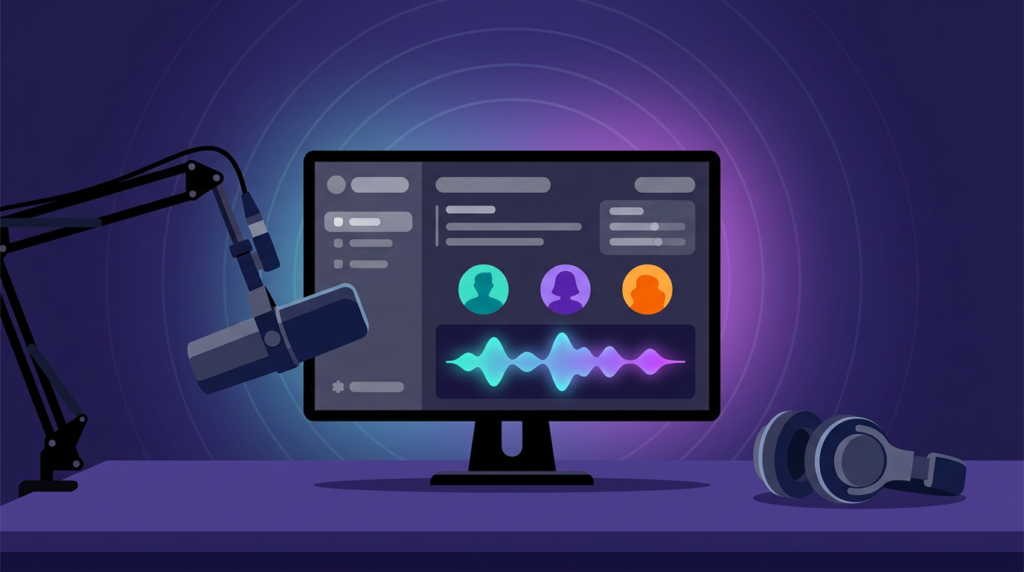
Voice changers used to be a joke. You spoke, waited, and heard yourself come back sounding like a broken radio half a second later.
That delay killed everything. Nobody can hold a conversation when their own voice arrives late.
Modern tools fixed the timing problem. iTop Voicy belongs to that newer group. It is a Windows app that rewrites your mic signal as you speak. Your squadmates on Discord hear the changed voice instantly, not after an awkward pause.
This guide covers what the app does, how the routing works, and where it helps. It also covers the limits, because every tool of this kind has them.
What iTop Voicy Actually Does
Start with the basic idea, since this kind of tool confuses newcomers.
iTop Voicy is a real-time voice changer from iTop Inc. That is the same firm behind iTop VPN. It sits between your microphone and whatever app you talk through. Audio comes in, gets processed, and goes out transformed.
That live part is the whole point. Older voice editors made you record a clip, add an effect, then save the file. This one works as you talk, so the change happens while you speak.
The app runs on Windows 10 and Windows 11. There is no Mac or Linux build, so it rules out a chunk of users at once.
Next to live changing, the app converts saved audio and video files. It also throws in a recorder and background noise cutting. That mix suits creators who want one app rather than four.
How iTop Voicy Routes Your Audio
Here is the part that trips up new users. iTop Voicy does not simply edit your microphone, so grasp the routing once and setup stops feeling odd.
The app adds a virtual audio device to your system. Think of it as a fake mic that Windows treats as real.
Your real mic feeds into the app. The app adds your chosen voice, then pushes the result into that virtual device. Finally, you tell Discord, Zoom, or your game to listen to the virtual device instead of your real mic.
That routing explains a common gripe. People install the app, pick a voice, then hear nothing new in their call. Almost always, they just skipped the last step.
So check your input device inside every app separately. Discord, OBS, and your game each keep their own audio settings.
Voice Options and the Soundboard
Variety is the selling point of iTop Voicy, though the exact count depends on which page you read.
Vendor pages and download sites quote different library sizes. Some say roughly 100 models. Others say well over 180. So treat any set number with care and judge the library yourself after installing.
The presets fall into clear groups. Expect gender shifts, age shifts, robot and monster effects, cartoon voices, and fantasy characters. Game-themed voices show up a lot, which tells you who the app is built for.
You can also tweak the presets. Rather than take one as it comes, you adjust the settings to build something closer to what you want. That matters for creators who need the same character voice across episodes.
A soundboard sits next to the voices. It fires short clips and effects on a hotkey. Streamers use those for reactions and running jokes.
Where iTop Voicy Fits Best
Not everyone needs this. Some users, though, get real value from iTop Voicy every single day.
Gamers form the core audience for iTop Voicy. Roleplay servers, party chat, and casual matches all get more fun with a character voice. iTop Voicy works inside titles like Valorant, Minecraft, Roblox, and Fortnite. The routing happens at system level, not inside the game.
Streamers come next. A voice change plus a soundboard adds variety to a show without extra work. The app hooks into OBS the same way it hooks into anything else.
Content creators use it another way. Someone making animated shorts or narrated clips needs several clear character voices. Hiring voice actors costs real money.
Privacy-minded users form a quieter group. Some people simply do not want their real voice on a public server. A voice changer adds a fair layer of cover there.
Finally, there are meetings. The app supports Zoom, Teams, and Google Meet. Work use, though, calls for judgement rather than glee.
Is iTop Voicy Really Free?
Pricing details for iTop Voicy clash across sources, so read this part with care.
The official page sells the app as a free real-time voice changer for Windows. No purchase is needed to download it. Several download sites repeat that line and list the price as zero.
Yet some outside reviews describe two tiers. Those write-ups mention a Pro version that unlocks the full voice library, deeper tweaking, file conversion, and extra soundboard content.
Both accounts may be true at different times. Software firms change how they charge, and launch pricing rarely lasts.
Therefore, do not take any article’s word for it, this one included. Check the current terms on the official site before you count on a free tier.
Setting Up iTop Voicy Without Frustration
Install is quick. Still, the routing trips people up, so set iTop Voicy up in this order.
First, install the app and restart if asked. The virtual audio device has to register with Windows properly.
Second, open the app and pick your real mic as the input. Speak, then watch the level meter move. If it stays flat, Windows is not passing sound to the app at all.
Third, choose a voice and test it inside the app before going live. Preview first, embarrass yourself never.
Fourth, open your target app and switch its input to the virtual mic the software made. Then repeat that for every program you use.
Finally, run a real test call with a friend. What you hear yourself never quite matches what others hear.
Performance and System Impact
Live audio processing costs something. So how heavy is iTop Voicy on your PC?
Reviewers generally describe the app as lightweight, with low processing overhead during gameplay. Reported lag sits in the millisecond range rather than anything you would notice.
Marketing goes further and claims zero latency. That wording is worth doubting. All digital audio work adds some delay, however small, because the app must hold samples briefly before changing them.
In practice, tiny delays do not matter. What matters is whether the gap feels instant, and reviewers say it does.
Your own results still depend on hardware. Running a heavy game, a stream encoder, and live voice work at once asks a lot of any machine. Around 8 GB of RAM is a sensible floor.
The Ethics Nobody Wants to Discuss
Fake voices raise questions that no feature list will answer.
Posing as a real person crosses a clear line. Using a fake voice to pretend you are someone named can count as fraud, harassment, or libel. It depends on the setting and the local law.
Consent matters in recordings too. If you post altered audio of a chat, the other people in it deserve to know.
Platform rules add one more layer. Some games and groups limit voice changing, above all in ranked play. So read the rules for the space you are in.
Work calls need extra thought. A character voice in a team meeting is a joke most managers enjoy only once.
Above all, being open solves most problems. Fun and roleplay are fine. Tricking people is not.
Privacy Considerations Worth Checking
People skip this point, yet iTop Voicy handles your microphone feed, so it deserves a moment.
Several laws treat your voice as biometric data. Consequently, any app that handles your mic feed sits on sensitive ground.
The key question is where the work happens. Local work keeps your audio on your machine. Cloud work sends it away, which raises storage and access questions.
Outside commentary on this app notes one point. Vendor claims about local processing had not been audited by anyone else at launch. That holds true for most consumer tools of this kind, so it is not a charge aimed at one product.
So read the privacy policy before you install. Also download from the official source rather than a mirror. Bundled installers from other sites are a known problem across all free Windows software.
How It Compares to Alternatives
Context helps, so here is the market iTop Voicy sits in.
Voicemod leads the field among Discord users and streamers. It offers a similar feature set with a slick design and a limited free tier.
Clownfish is the old free standby. It is simple and stable, though its effects sound dated next to AI tools.
MorphVOX aims at users who want deeper control and will pay and tinker to get it.
Against that field, this app competes mainly on access. One package covers live changing, file conversion, recording, and noise cutting. Offered free on Windows, that is a very low barrier to entry.
The trade-off is scope. Pro audio work still belongs in a proper studio program.
FAQs
Does iTop Voicy work on Mac?
No. It is a Windows app, and it supports Windows 10 and Windows 11 only. Mac and Linux users need a different tool.
Why can nobody hear my changed voice in iTop Voicy?
Almost always, the target app is still listening to your real mic. Open its audio settings, pick the virtual device the software added, then restart that app.
Will it hurt my frame rate?
Reviewers report that iTop Voicy adds little overhead during gaming. Slower machines struggle only when a stream encoder runs at the same time.
Is it safe to install?
Download from the official site rather than a mirror, and read the privacy policy first. That advice fits every free Windows tool, not just this one.
Can I use it in online meetings?
Yes, in technical terms, since it supports Zoom, Teams, and Meet. Whether you should depends on your workplace and the mood of the meeting.
Conclusion
iTop Voicy is a capable entry point into real-time voice changing on Windows. It bundles live voice change, file conversion, recording, and noise cutting into one installer. It also drops the cost barrier that keeps casual users out of this category.
Keep your hopes sensible, though. It is built for gaming, streaming, and creative play rather than pro audio work. The Windows-only limit is real. Marketing phrases like zero latency deserve the usual pinch of salt.
Before you commit, do two things. Check the current pricing on the official site, since other sources disagree. Then read the privacy policy, because mic data is worth a minute of your time.
Used well, a good voice changer is real fun. Used to trick people, it turns into something else. That choice sits with you, not with the software.