
Modern manufacturing SOP software helps manufacturers create, approve, distribute, revise and track standard operating procedures and related work instructions across production environments. Instead of relying solely on...
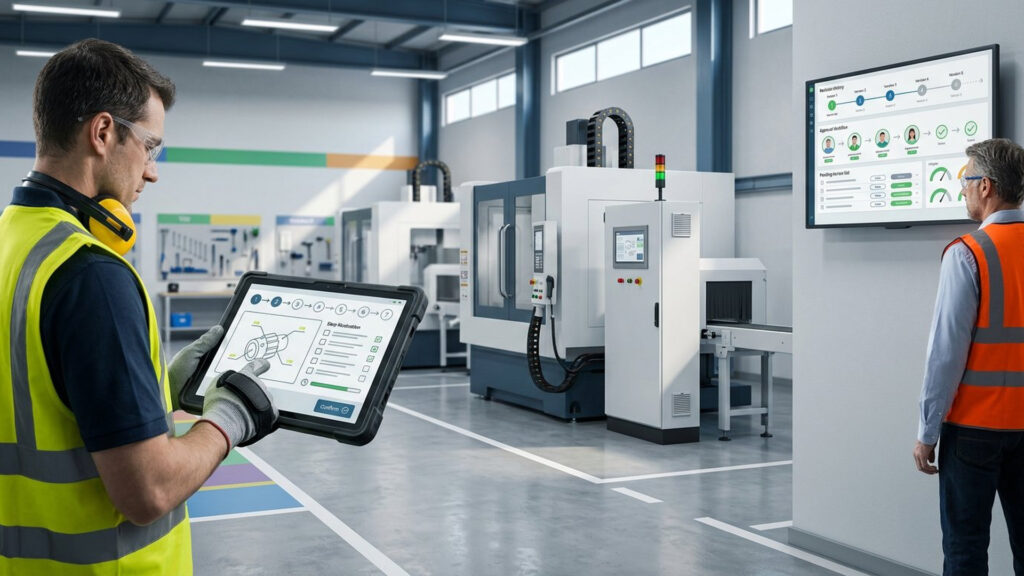
Modern manufacturing SOP software helps manufacturers create, approve, distribute, revise and track standard operating procedures and related work instructions across production environments. Instead of relying solely on printed binders, shared folders or uncontrolled documents, digital systems can give authorized employees access to current procedural information where work occurs. The right platform can also support revision history, approvals, training records, electronic acknowledgements and audit preparation. Software cannot guarantee product quality or regulatory compliance on its own, however. Effective SOP management still requires accurate procedures, qualified process owners, appropriate employee training, change control and ongoing verification that documented instructions reflect actual manufacturing operations.
What Is Manufacturing SOP Software?
Manufacturing SOP software is a digital system used to manage controlled procedural documentation associated with manufacturing activities.
SOP stands for standard operating procedure. An SOP describes an established process or method for completing defined work consistently.
Manufacturers may use SOPs for production, equipment operation, quality activities, sanitation, safety, maintenance, material handling, inspections and other repeatable processes.
Digital SOP platforms can provide a centralized environment in which authorized users write, review, approve, publish and update these documents.
Some products specialize in document control. Others focus on visual work instructions, connected worker workflows, training, quality management or broader manufacturing operations.
The most appropriate category depends on what the organization actually needs to control.
9 Powerful Benefits of Manufacturing SOP Software
The value of digitizing procedures comes from better process control rather than simply replacing paper with screens.
1. Manufacturing SOP Software Centralizes Controlled Procedures
Paper binders, local computer files and email attachments can create multiple versions of the same procedure.
A centralized platform establishes a controlled location for approved documentation.
Employees can be directed toward the currently effective version rather than searching through folders.
This is especially useful for manufacturers operating multiple production lines, shifts or sites.
2. Version Control Reduces Obsolete Document Use
Manufacturing procedures evolve.
A tooling change, new machine, material specification, safety requirement or quality improvement may require a procedural revision.
Version Control in Manufacturing SOP Software
Software can retain revision histories while identifying which document version is currently approved.
Historical Versions Still Matter
Older versions should not simply disappear when regulations, quality systems, customer requirements or internal policies require historical records. Retention policies should define how superseded documents are preserved and accessed.
3. Approval Workflows Strengthen Document Governance
An SOP should generally be reviewed by people with appropriate knowledge and authority before release.
Digital workflows can route drafts to designated reviewers and approvers.
Depending on the process, stakeholders might include production, engineering, quality, safety or regulatory personnel.
Automation helps coordinate the workflow, but organizations remain responsible for determining who is qualified to approve each document.
4. Shop Floor Employees Gain Easier Access
A procedure provides limited value when employees cannot access it at the point of work.
Tablets, industrial terminals, workstations and other compatible devices can make digital instructions available near production operations.
Shop Floor Manufacturing SOP Software
Interfaces should be designed for the actual environment.
Accessibility Matters
Small text, complicated menus or controls that are difficult to use with required personal protective equipment can reduce effectiveness. Manufacturers should test interfaces with real operators before deployment.
5. Visual Work Instructions Can Clarify Complex Tasks
Text alone is not always the clearest way to describe an assembly or setup operation.
Some manufacturing SOP platforms allow procedures to incorporate photographs, diagrams, videos and other visual instructions.
Visual information can show component orientation, equipment settings or inspection locations more clearly.
It should still be controlled and kept current.
An outdated image can create the same problems as outdated written instructions.
6. Training Can Be Connected to Procedure Changes
When an important SOP changes, affected employees may require training or acknowledgement before performing the revised process.
Software can help identify which roles are affected and record relevant training activity.
SOP Training Management
Training records may show assigned material, completion status or acknowledgement.
Completion Is Not Competency
Clicking an acknowledgement button does not prove that an employee can perform a task correctly. High consequence procedures may require observation, assessment or practical qualification as determined by the organization.
7. Search Makes Procedures Easier to Find
Large manufacturing operations can maintain hundreds or thousands of controlled documents.
Search, categories and metadata can help users locate relevant procedures.
However, search functionality needs thoughtful implementation.
Documents should use consistent naming and classification.
8. Audit Trails Improve Traceability
Digital systems can record events such as document creation, reviews, approvals and revisions.
This traceability can support internal investigations and audits.
Audit Trails in Manufacturing SOP Software
The exact records needed depend on industry and applicable requirements.
Audit Logs Need Protection
Organizations should establish controls preventing unauthorized alteration of audit information and define appropriate retention periods.
9. Manufacturing SOP Software Supports Continuous Improvement
Procedures should evolve as manufacturing processes improve.
Digital workflows can make controlled updates easier than manually replacing paper documents across multiple locations.
The platform may also collect process feedback.
Operator observations can reveal unclear instructions or opportunities to improve work.
Changes should still pass through appropriate review and change control before becoming an effective procedure.
Manufacturing SOPs Versus Work Instructions
SOP and work instruction are sometimes used interchangeably, but many organizations distinguish them.
An SOP typically describes a standardized process at a broader level.
A work instruction can provide more detailed guidance for performing a particular operation.
For example, an SOP might establish a process for equipment changeover, while a work instruction gives detailed actions for a particular machine model.
Why the Distinction Matters
Clear document hierarchy helps employees understand which information applies to their task.
Document Taxonomy
Manufacturers may maintain policies, procedures, work instructions, specifications, forms and records.
Keep the Structure Simple
An excessively complicated document hierarchy can make information harder to maintain. Categories should support operations rather than exist merely for administrative purposes.
Manufacturing SOP Software for Digital Work Instructions
Digital work instruction software emphasizes point of work guidance.
Instructions can be organized into sequential steps so operators see the information needed for the current operation.
Step by Step Procedures
Breaking a complex task into discrete actions can reduce cognitive load.
Interactive Instructions
Some platforms can require confirmation before the workflow advances.
Do Not Add Unnecessary Clicks
Confirmation should be used when it serves a quality, safety or traceability purpose. Requiring users to confirm every trivial action can create frustration and encourage habitual clicking.
SOP Document Control
Document control is central to many quality management systems.
A controlled document should have an identifiable status and defined ownership.
Manufacturing SOP software can support metadata such as document number, owner, revision, effective date and approval status.
Document Review Cycles
Organizations may establish periodic review requirements based on internal policy or applicable standards.
Automated Review Reminders
Software can notify owners when reviews are due.
Review Meaningfully
A periodic review should verify that the procedure still reflects the actual process rather than simply extending an expiration date without examination.
Manufacturing SOP Software and Quality Management
Procedures are closely connected with quality systems.
SOP platforms may therefore integrate with quality management software or exist as modules within electronic quality management systems.
Quality Documentation
Controlled procedures can support activities such as inspections, nonconformance handling and corrective processes where relevant.
eQMS Integration
An electronic quality management system can connect document changes with other quality workflows.
Evaluate the Entire Process
Integration should provide practical traceability rather than merely linking unrelated records for appearance.
Manufacturing SOP Software and ISO 9001
ISO 9001 establishes requirements for quality management systems.
Organizations working toward or maintaining ISO 9001 certification need to control documented information relevant to their quality management system.
Software can support document control activities.
However, purchasing SOP software does not make an organization ISO 9001 certified.
Supporting Documented Information
A system can assist with approval, access, revision and retention according to configured processes.
Certification Depends on the Quality Management System
An accredited certification process evaluates the organization’s management system against applicable requirements.
Software Is an Enabler
The organization remains responsible for designing, operating and improving its quality management system.
Manufacturing SOP Software for Regulated Industries
Requirements become more specialized in industries such as pharmaceuticals, medical devices, food manufacturing and aerospace.
A generic document platform may not satisfy every regulated workflow.
Pharmaceutical Manufacturing
Pharmaceutical operations may be subject to current Good Manufacturing Practice requirements and electronic record controls depending on jurisdiction and application.
21 CFR Part 11
In the United States, FDA regulations under 21 CFR Part 11 can apply to certain electronic records and electronic signatures.
Vendor Claims Require Careful Evaluation
Software can include capabilities designed to support Part 11 requirements, but compliant use depends on validation, procedures, controls and organizational implementation. A software purchase alone cannot establish compliance.
Medical Device Manufacturing SOP Software
Medical device manufacturers may operate quality management systems under regulatory and standards based requirements.
Procedures can relate to production, quality, complaints, corrective actions and other processes.
Electronic Signatures
Electronic approval functionality may be important.
Identity and Authentication
An electronic signature system should appropriately connect the signature with an identified authorized individual.
Regulatory Context Matters
Organizations should determine applicable requirements with qualified quality and regulatory professionals.
Food Manufacturing SOP Software
Food manufacturers use procedures related to sanitation, production, allergen management, equipment, quality and food safety.
Digital access can make instructions available close to production processes.
Hygiene Considerations
Devices used in food production environments need to suit applicable hygiene requirements.
Hardware Selection
Ordinary office tablets may not be appropriate for every production area.
Consider the Environment
Water exposure, cleaning chemicals, temperature, dust and glove use should influence hardware deployment.
Aerospace and Industrial Manufacturing
Complex manufacturing can involve highly controlled specifications and process instructions.
Revision accuracy becomes especially important when products are built under configuration control.
Operators must know which procedure applies to which product or production state.
Configuration Management
SOP software should not be confused with a complete product lifecycle or configuration management system.
System Integration
The platform may need connections with PLM, MES, ERP or quality applications.
Define the System of Record
Each important dataset should have an authoritative source to reduce conflicts between systems.
Manufacturing SOP Software and MES
A manufacturing execution system, commonly called MES, manages and tracks production related activity.
SOP software primarily manages procedures and work instructions, although product boundaries can overlap.
Integration can allow instructions to appear in the context of a production operation.
Contextual Work Instructions
Operators may benefit from receiving the correct instruction for a specific job, product or workstation.
Integration Accuracy
Automated document selection needs reliable data.
Test Incorrect Scenarios
Implementation teams should verify not only that the correct document appears under expected conditions but also how the system behaves when information is missing or inconsistent.
Manufacturing SOP Software and ERP Integration
ERP systems manage important business information such as materials, production orders, inventory and financial records.
Connecting ERP and SOP systems may enable procedural content to correspond with specific work.
Integration Planning
Before building an integration, determine what business problem it solves.
Avoid Excessive Integration
Not every application needs a real time connection.
Complexity Has a Maintenance Cost
Each custom interface introduces testing, security and upgrade responsibilities.
Mobile Manufacturing SOP Software
Mobile access can be useful for maintenance teams, warehouse staff and other employees who move around facilities.
Devices should support authentication and appropriate security controls.
Offline Access
Some facilities have unreliable wireless coverage.
Offline capabilities can be valuable where supported.
Synchronization Risks
Offline documents can become outdated.
Control Offline Versions
The platform should have a clear method for synchronizing revisions and preventing users from unknowingly relying on superseded content.
Multilingual SOPs
Global manufacturers may need procedures in multiple languages.
Translation introduces document control challenges.
Translation Management
A source language procedure may change while translated versions remain outdated.
Version Alignment
Systems should help teams track relationships between translations and source documents.
Use Appropriate Translation Review
Safety critical or regulated instructions may require qualified human translation and review rather than relying exclusively on automated translation.
Electronic Signatures and Approvals
Electronic signatures can improve the speed and traceability of approvals.
Their legal or regulatory significance depends on context and jurisdiction.
Approval Roles
Only appropriately authorized individuals should approve controlled procedures.
Delegation
Temporary approval responsibilities may require formal delegation.
Maintain Accountability
Shared accounts undermine reliable attribution. Each approver should use an appropriately secured individual identity.
Role Based Access Control
Manufacturing SOP systems can contain sensitive operational information.
Role based access limits what users can view or modify.
Operator Permissions
Operators may require read access without document editing privileges.
Process Owner Permissions
Authors and process owners may need controlled editing capabilities.
Administrator Access
System administrators have greater technical privileges.
Review Privileged Access
Administrative rights should be limited and reviewed periodically according to organizational security practices.
Cybersecurity for Manufacturing SOP Software
Manufacturing environments increasingly connect operational and information technology.
SOP systems should be assessed as part of the broader security architecture.
Relevant controls can include encryption, authentication, backups, logging and vulnerability management.
Cloud Based SOP Software
Cloud deployment can simplify access and vendor managed updates.
It also requires evaluation of the provider’s security practices.
Data Hosting
Organizations may need to know where their information is stored.
Review Vendor Security Documentation
Ask about independent security assessments, access controls, incident response, backups and data recovery rather than relying only on a statement that the platform is secure.
AI in Manufacturing SOP Software
Generative AI can potentially assist with drafting, searching, summarizing and translating procedural information.
These capabilities require oversight.
An AI generated procedure can contain incorrect or unsafe instructions.
AI Assisted SOP Creation
AI may help produce an initial draft from approved source information.
Human Review Is Essential
Qualified process owners should verify technical accuracy before release.
Never Publish Unverified AI Instructions
A fluent procedure is not necessarily a correct one. Manufacturing, safety and quality instructions require appropriate validation and approval.
SOP Templates
Templates create consistency across documents.
They can establish sections for purpose, scope, responsibilities, procedure and references according to organizational needs.
Template Standardization
A standard layout helps users find information quickly.
Avoid Overly Long Templates
Not every procedure needs numerous sections containing little useful information.
Match Detail to Risk and Complexity
A simple low risk process may require less documentation than a complex safety or quality critical operation.
Creating Effective Manufacturing SOPs
Good procedures are clear enough for their intended users.
Use specific language and logical sequencing.
Images can help where they convey information more efficiently than words.
Write for the Operator
Authors who understand a process deeply can unintentionally omit knowledge they assume everyone has.
Observe Real Work
Watching qualified employees perform the process can reveal missing details.
Verify Before Approval
A procedure should be tested against actual operations before being widely released.
Training Employees on Digital SOP Software
Training should cover both the manufacturing procedure and the software used to access it.
Employees need to know how to find effective documents and recognize their current status.
Supervisor Training
Supervisors may need additional knowledge about assignments, revisions and reporting.
Administrator Training
Administrators require deeper understanding of workflow configuration and permissions.
Maintain Internal Expertise
Relying entirely on a vendor for ordinary administration can slow future changes.
Implementing Manufacturing SOP Software
Implementation should begin with process requirements.
Inventory existing documentation and identify owners.
Old, duplicate or obsolete procedures should not automatically be migrated simply because they exist.
Pilot Implementation
A pilot production area can help validate workflows before wider rollout.
Gather Operator Feedback
Shop floor employees can identify practical usability problems.
Improve Before Scaling
Correcting a workflow during a pilot is often easier than changing it after deployment across multiple sites.
Migrating Existing SOPs
Legacy documents may exist in Word files, PDFs, network drives and paper binders.
Migration provides an opportunity to clean the document library.
Document Inventory
Identify current, duplicate, obsolete and missing procedures.
Metadata
Assign consistent titles, identifiers, owners and categories.
Validate Migrated Documents
Verify that content, formatting and revision status remain accurate after migration.
How to Choose Manufacturing SOP Software
Start with operational and compliance requirements.
Different manufacturers need different levels of control.
Important Manufacturing SOP Software Features
Consider:
• Document authoring
• Revision control
• Approval workflows
• Effective dates
• Audit trails
• Electronic signatures where required
• Role based permissions
• Visual work instructions
• Mobile access
• Offline capabilities
• Search
• Multilingual support
• Training management
• Analytics
• API and integration options
• Security controls
• Data export
Features should be evaluated through realistic use cases.
Manufacturing SOP Software Cost
Pricing varies by product, number of users, sites, functionality, implementation and support.
Some vendors use subscription pricing, while enterprise deployments may involve separate implementation services.
Costs can also include document migration, integrations, devices and internal project time.
Total Cost of Ownership
Compare more than licence fees.
Implementation Costs
Configuration and training can represent significant project effort.
Future Costs Matter
Integrations, additional sites, premium support, storage and advanced modules may create recurring expenses.
Questions to Ask a Manufacturing SOP Software Vendor
Vendor evaluation should include practical and technical questions.
Ask:
• How is document version control handled?
• Can access be managed by role and site?
• How are approvals documented?
• What audit events are captured?
• Does the system support electronic signatures?
• How does offline access work?
• Can documents be exported?
• Which integrations are supported?
• How is customer data protected?
• How are backups handled?
• What happens if the service is unavailable?
• How are software updates tested?
• Which regulatory use cases does the product support?
• What customer validation responsibilities remain?
• What training and implementation services are included?
Specific answers are more useful than generic demonstrations.
Common SOP Software Implementation Mistakes
Digitizing poor procedures does not improve them automatically.
Migrating every legacy document without review can carry outdated practices into the new platform.
Another mistake is excluding shop floor employees from software selection.
A system that appears excellent to administrators may be difficult to use while operating machinery or wearing protective equipment.
Manufacturers should also avoid excessive approval workflows that make necessary procedure updates unnecessarily slow.
Measuring the Success of SOP Software
Success metrics should reflect the reasons the system was purchased.
Potential measures include time required to approve revisions, outdated documents discovered, training completion, procedure search time and user adoption.
Quality outcomes can also be evaluated where appropriate.
However, changes in defect or incident rates can have multiple causes and should not automatically be attributed entirely to the software.
Frequently Asked Questions
What is manufacturing SOP software?
Manufacturing SOP software is a digital platform for creating, approving, distributing, revising and tracking standard operating procedures and work instructions.
How does manufacturing SOP software help document control?
It can centralize controlled documents, manage revisions, maintain approval histories and help employees access the currently effective procedure.
Can manufacturing SOP software support ISO 9001?
Yes, software can support control of documented information and related quality workflows, but using a platform does not by itself establish ISO 9001 conformity or certification.
Does manufacturing SOP software support electronic signatures?
Many platforms offer electronic approval and signature features. Organizations should verify whether the implementation meets applicable regulatory and internal requirements.
Can manufacturing SOP software integrate with ERP or MES systems?
Many products offer APIs or predefined integrations, but compatibility and implementation complexity vary. Integration requirements should be verified with the specific vendors.
How do I choose manufacturing SOP software?
Evaluate document control, shop floor usability, approvals, training, security, integrations, regulatory requirements, data ownership, implementation support and total cost.
Conclusion
Manufacturing SOP software can replace fragmented procedure management with controlled digital workflows that support versioning, approvals, training and point of work access. Effective implementation requires more than digitizing existing documents; manufacturers should validate procedures, involve operators and establish appropriate governance, security and change control. Integration with quality, ERP or MES systems can add value when it solves genuine operational requirements. The best platform is one that makes accurate, approved instructions easier to maintain and use while supporting the organization’s specific manufacturing and regulatory environment.