
PC cooling systems have evolved from simple fixed-speed fans into sophisticated thermal-management solutions that can adapt airflow to changing workloads. Efficient fan technology is increasingly important...
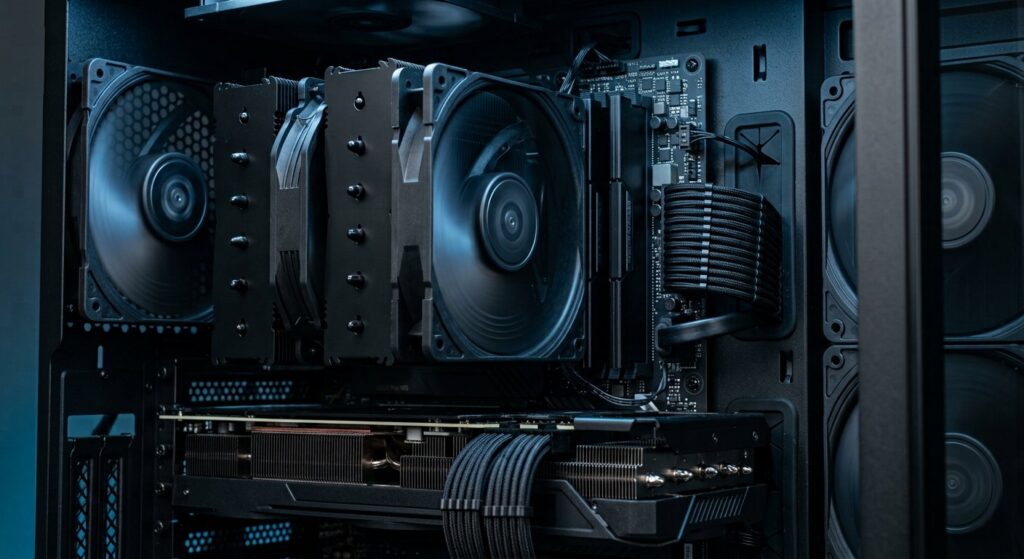
PC cooling systems have evolved from simple fixed-speed fans into sophisticated thermal-management solutions that can adapt airflow to changing workloads. Efficient fan technology is increasingly important as processors, graphics cards and other components generate substantial heat within compact enclosures. Electronically commutated fan technology offers another approach to controlling airflow with accurate electronic motor management and flexible speed adjustment.
For PC cooling systems, however, efficiency cannot be judged by motor technology alone. Airflow, static pressure, fan dimensions, heatsink resistance, radiator design, acoustics, electronic compatibility and system control all influence real-world results. Understanding how EC fans operate and where their advantages apply can help engineers, system builders and technically minded users make better cooling decisions.
What EC Fans Mean for PC Cooling Systems
An EC fan uses an electronically commutated motor. In practical terms, the motor uses electronic circuitry to manage commutation rather than relying on traditional mechanical commutation.
EC motor technology is widely used in applications where efficient variable-speed airflow is important. Depending on fan design, controls can regulate speed according to an external command or feedback from a wider thermal-management system.
This characteristic makes EC technology relevant when evaluating advanced PC cooling systems.
There is, however, terminology to clarify. Modern computer fans commonly use brushless DC motor designs with integrated electronics. The terms EC and BLDC are sometimes used differently depending on the industry and manufacturer.
Therefore, an EC fan should not automatically be assumed to be a drop-in replacement for every conventional PC fan.
Voltage, control signal, physical dimensions, electrical interface and controller compatibility must all be verified.
Why PC Cooling Systems Need Variable Airflow
Computer heat output changes continuously.
A desktop may consume relatively little power when idle, then require substantially more cooling during gaming, video rendering, software compilation, scientific computation or another sustained workload.
Running every fan at maximum speed continuously is usually unnecessary.
Variable-speed PC cooling systems allow airflow to rise when thermal demand increases and decrease when less cooling is required. This can help balance temperature and noise.
An effective control strategy therefore connects cooling effort to actual system conditions.
Heat Transfer Inside Modern Computers
Fans do not directly make a processor cold. They move air to support heat transfer.
Heat generated by a CPU or GPU first travels through its package and cooling interface into a heatsink, vapor chamber, heat pipes or liquid-cooling cold plate. The cooling hardware then transfers heat toward air or, in liquid PC cooling systems, into coolant before that heat reaches a radiator.
Fans help remove thermal energy by moving air through these heat-exchange surfaces.
The complete thermal path matters. A highly efficient fan cannot compensate for a poorly mounted heatsink, obstructed radiator or unsuitable case ventilation arrangement.
7 Benefits of EC Fans in PC Cooling Systems
The actual benefit of any EC fan depends on its design and application. Nevertheless, electronically controlled fan technology has characteristics that can be useful for precision PC thermal management.
1. PC Cooling Systems Can Gain Better Speed Control
One of the central advantages of electronically managed fans is controllability.
Instead of operating at only one fixed speed, compatible EC fans can adjust rotational speed across an available operating range. That allows PC cooling systems to respond more closely to thermal demand.
At idle or under light workloads, lower airflow may be sufficient. During sustained processor or graphics workloads, fan speed can increase.
This produces a more dynamic cooling strategy.
Many existing computer fans already provide variable-speed operation through PWM or other control approaches. The practical question is therefore not whether an EC fan can vary speed, but how effectively the particular fan integrates with the computer’s thermal controls.
Precision Control in PC Cooling Systems
Precision cooling depends on more than changing RPM.
A controller needs an appropriate temperature input, sensible control logic and a fan capable of responding predictably. System designers may also need to consider minimum stable speed, startup behavior, response time and the relationship between fan speed and airflow.
Well-designed PC cooling systems avoid excessive speed changes in response to tiny temperature fluctuations.
Instead, fan curves, hysteresis or suitable control algorithms can provide smoother operation.
2. EC Fans Can Improve Motor Efficiency
Efficient motors can reduce the electrical power required to produce useful mechanical output compared with less efficient motor designs under comparable conditions.
For PC cooling systems, lower fan power can be beneficial, although fans usually account for only part of a computer’s overall electrical consumption.
The actual system-level savings depend on:
- Fan size
- Fan quantity
- Operating speed
- Motor design
- Duty cycle
- Airflow resistance
- Control strategy
- Computer workload
It would therefore be inaccurate to claim that installing an EC fan automatically creates a large reduction in total PC power consumption.
The advantage is more relevant when many fans operate continuously or when a cooling architecture is specifically designed around efficient variable-speed airflow.
3. PC Cooling Systems Can Become More Responsive
Dynamic workloads can cause component temperatures to change quickly.
Modern PC cooling systems use temperature measurements and fan-control logic to adapt to these changing conditions. An electronically controlled fan can be an effective part of that feedback system.
For example, the cooling controller may increase fan demand as CPU, GPU, coolant or another monitored temperature rises.
The appropriate sensor depends on the cooling architecture.
A case fan might be controlled using a system or component temperature, while radiator fans in liquid PC cooling systems may benefit from control based on coolant temperature where suitable sensing and hardware are available.
4. EC Fans Can Support Lower Noise at Reduced Loads
Noise is one of the most noticeable characteristics of PC cooling systems.
A cooling system running every fan at maximum RPM can create unnecessary acoustic output during light workloads. Variable-speed control makes it possible to reduce fan speed when thermal conditions allow.
Lower rotational speed frequently reduces aerodynamic noise, although actual acoustics depend heavily on fan design and installation.
Noise can originate from:
- Blade turbulence
- Motor characteristics
- Bearings
- Intake restrictions
- Grilles
- Radiators
- Heatsinks
- Case panels
- Mechanical resonance
- Rapid changes in fan speed
An efficient EC motor alone does not guarantee a silent PC.
The entire airflow path needs to be designed with acoustics in mind.
5. PC Cooling Systems Can Use Smarter Feedback
Advanced electronically controlled fans may support operating feedback depending on their design.
RPM feedback allows a controller to verify whether a fan is rotating at approximately the expected speed. More specialized fans or control systems may expose additional status information.
For PC cooling systems, feedback can improve monitoring and fault detection.
If a fan receives a command but does not produce expected rotational feedback, system software or a dedicated controller may be able to generate an alert.
This is particularly useful in workstations, servers or other systems where uninterrupted thermal management matters.
6. EC Fan Control Can Reduce Unnecessary Full-Speed Operation
Cooling hardware should generally provide the airflow required by the current thermal load without automatically operating at maximum capacity.
Full-speed fans may be useful under demanding conditions, but they can produce extra noise and consume additional fan power when maximum airflow is unnecessary.
Adaptive PC cooling systems can establish fan curves that correspond with measured temperatures.
A simplified operating strategy might look like this.
| Thermal condition | Fan response | Main objective |
|---|---|---|
| Low thermal load | Low fan speed where supported | Reduce unnecessary noise and airflow |
| Moderate load | Gradually increased speed | Maintain temperature and acoustic balance |
| High sustained load | Higher fan speed | Increase heat-removal capacity |
| Critical temperature condition | Maximum or predefined emergency response | Prioritize component protection |
Exact temperature thresholds should be determined for the particular hardware rather than copied from a generic example.
7. PC Cooling Systems Gain More Design Flexibility
Controllable fans give cooling designers more freedom.
A fan does not need to operate at a single point regardless of conditions. Instead, system builders can tune cooling behavior for quiet idle operation, balanced everyday use or aggressive performance cooling.
This flexibility is useful across several PC categories.
Gaming PCs may prioritize low noise during ordinary use while allowing higher airflow during extended gaming sessions. Workstations may prioritize sustained component temperature. Compact PC cooling systems may need rapid changes in airflow because internal volume is limited.
The fan needs to match each architecture rather than being selected based on motor type alone.
EC Fans Versus Common Fans in PC Cooling Systems
Comparisons between EC fans and conventional PC fans require care because the terminology overlaps.
Most quality modern computer cooling fans already use electronically controlled brushless motors. Many also support PWM speed control.
Consequently, switching to something specifically sold as an EC fan is not automatically an upgrade.
The comparison should focus on actual specifications.
| Feature | Typical modern PWM PC fan | EC fan designed for compatible use |
|---|---|---|
| Electronic motor control | Common | Yes |
| Variable speed | Common | Common |
| RPM feedback | Common on suitable models | Depends on model |
| Motherboard compatibility | Usually designed for PCs | Must be verified |
| Standard PC dimensions | Widely available | Depends on product |
| PWM compatibility | Common on 4-pin PC fans | Must be verified |
| External controller requirement | Usually not | Depends on fan design |
| Suitable for direct replacement | Often | Only when specifications match |
This distinction is important for anyone researching PC cooling systems.
The label EC does not by itself establish superior thermal performance. Airflow, static pressure, efficiency, acoustics and control compatibility must be evaluated together.
How PC Cooling Systems Use PWM Control
PWM stands for pulse-width modulation. In a standard compatible PC fan implementation, PWM provides a control signal that tells the fan’s electronics what operating level is requested.
This allows the fan to retain continuous power while its internal electronics regulate motor operation according to the PWM command.
PWM control is widely used in modern PC cooling systems because it enables convenient automatic speed adjustment through motherboards or dedicated controllers.
EC Control and PWM Are Not Necessarily Opposites
EC refers broadly to electronically commutated motor technology, while PWM describes a method used for control.
This means comparing EC directly with PWM can create confusion.
An electronically commutated fan may itself accept a PWM input, depending on its design.
For PC cooling systems, buyers should focus on the actual electrical and control interface rather than marketing terminology.
Check Electrical Compatibility First
Before installing any nonstandard fan, verify:
- Rated voltage
- Current requirement
- Maximum power
- Connector type
- Pin assignment
- Control-signal specification
- Tachometer feedback
- Startup behavior
- Controller capacity
- Motherboard header limits
PC cooling systems can be damaged or behave incorrectly when incompatible electrical components are connected without appropriate interfaces.
When specifications are unclear, manufacturer documentation should take priority over assumptions.
Airflow and Static Pressure in PC Cooling Systems
Fan selection is not only about RPM.
Two fans rotating at similar speeds can behave differently because blade geometry, motor characteristics and aerodynamic design influence their pressure and airflow capabilities.
Airflow generally describes how much air a fan moves under specified conditions. Static pressure indicates a fan’s ability to maintain airflow against resistance.
Both matter in PC cooling systems.
Where Airflow-Focused Fans Work Well
Low-resistance case ventilation generally benefits from good airflow.
Intake and exhaust fans help exchange warm internal air with cooler ambient air. However, filters, restrictive front panels and tight vents can add resistance.
As resistance increases, free-air airflow ratings become less representative of installed performance.
Where Static Pressure Becomes Important
Radiators and dense heatsinks impose resistance on airflow.
Fans used with these components should maintain useful airflow through the restriction rather than merely achieve a high free-air airflow figure.
PC cooling systems using liquid radiators therefore commonly benefit from fans designed with suitable pressure capability.
The same principle applies to restrictive filters and tightly spaced ventilation paths.
PC Cooling Systems Need Balanced Case Airflow
Installing powerful fans without planning airflow direction can produce disappointing results.
A case normally uses some fans as intakes and others as exhausts. Their placement should establish a coherent flow path through the components that need cooling.
Common locations include front, bottom or side intakes and rear or top exhausts, although optimal arrangements depend on the specific enclosure.
PC cooling systems should also consider the GPU’s airflow pattern.
Some graphics cards release much of their heat inside the case, increasing the importance of chassis ventilation.
Positive and Negative Pressure
The terms positive and negative case pressure describe the relationship between intake and exhaust flow.
In practice, actual pressure behavior is affected by fan curves, filters, leakage openings and flow resistance. Simply counting fans is therefore insufficient.
Filtered intake airflow can help manage dust entry through intended intake locations, but no configuration makes a conventional case completely dustproof.
For PC cooling systems, the best configuration is typically established by measuring temperatures and acoustics in the actual enclosure.
Fan Curves Make PC Cooling Systems Smarter
A fan curve defines how fan speed changes in response to a selected temperature.
Poorly configured fan curves can cause fans to surge up and down frequently, creating noticeable acoustic changes.
Well-tuned PC cooling systems use gradual transitions where appropriate.
The ideal fan curve depends on:
- CPU cooling solution
- GPU behavior
- Case airflow
- Ambient temperature
- Fan capabilities
- Preferred noise level
- Workload duration
- Sensor location
There is no universal curve suitable for every computer.
Choose the Right Temperature Sensor
CPU temperatures can change rapidly during short workloads. If every case fan reacts immediately to each short spike, the computer may repeatedly become louder and quieter without meaningful benefit.
PC cooling systems can sometimes achieve smoother behavior by using alternative sensor sources, delayed responses or hysteresis where the hardware supports these features.
Liquid PC cooling systems with coolant-temperature sensing have an additional option because coolant temperature generally changes more slowly than instantaneous processor temperature.
This can enable smoother radiator fan behavior.
EC Fans in Air-Cooled PC Cooling Systems
Air cooling relies on transferring processor heat to a heatsink and then moving air across its fins.
An EC fan suitable for the specific heatsink could provide electronically controlled airflow according to thermal demand.
However, dimensions and mounting compatibility matter.
Typical consumer PC cooling systems use standardized fan sizes such as 120 mm and 140 mm in many case applications, while CPU coolers can use a wider variety of formats.
Thickness also matters.
A physically incompatible industrial EC fan should not be forced into a PC enclosure merely because its efficiency specifications look attractive.
CPU Cooler Fan Requirements
A CPU heatsink can create meaningful airflow resistance.
The fan should therefore be evaluated for performance against restriction rather than free-air airflow alone.
PC cooling systems also need to consider acoustic characteristics because CPU cooler fans often change speed frequently.
A fan with a smooth acoustic profile can feel less intrusive than one that produces strong tonal noise even if measured sound pressure appears similar.
EC Fans in Liquid PC Cooling Systems
Liquid cooling changes the path heat takes but does not eliminate the need for air movement.
Heat moves from a component through a cold plate into coolant. The coolant carries it toward a radiator. Fans then move air through the radiator so heat can be rejected into the surrounding environment.
EC fans can potentially support precise radiator airflow if their specifications and controls suit the system.
PC cooling systems using radiators should prioritize suitable pressure performance.
Radiator Density and Fan Selection
Radiator thickness and fin structure influence resistance.
A more restrictive radiator can require fans that maintain useful airflow at higher static pressure. Running several unsuitable fans at high RPM may create substantial noise without delivering the expected improvement.
For radiator-based PC cooling systems, fan performance curves can provide more meaningful engineering information than maximum RPM alone when manufacturers make such data available.
Push, Pull and Push-Pull Configurations
Fans can be mounted to push air through a radiator, pull air through it or operate on both sides.
A push-pull arrangement increases fan count and consumes more physical space. Whether it provides worthwhile improvement depends on radiator resistance, fan selection and required operating point.
PC cooling systems should be tested rather than assuming that doubling fan quantity doubles cooling performance.
It does not.
Noise Optimization in PC Cooling Systems
Acoustics are a major reason to pursue better fan control.
A computer that remains quiet during light use and increases cooling only when necessary can provide a more comfortable user experience than one operating at a constant high fan speed.
PC cooling systems should address several noise mechanisms rather than motor efficiency alone.
Sources of Cooling Noise
Important sources include:
- Blade-pass noise
- Turbulent airflow
- Intake obstruction
- Bearing noise
- Motor tones
- Case resonance
- Radiator turbulence
- Pump noise in liquid systems
- GPU fan noise
- Rapid RPM variation
EC technology may help improve motor control, but aerodynamic and mechanical design remain equally important.
Avoiding Turbulent Intake Conditions
Placing a fan immediately behind a restrictive grille, sharp obstruction or poorly designed ventilation pattern can generate unwanted turbulence.
Good PC cooling systems provide the fan with a reasonably clean airflow path where enclosure design permits.
Spacing, grille geometry and fan placement can affect real acoustic behavior.
This is why fan reviews performed in free air do not necessarily predict exactly how a fan will sound inside a particular case.
Energy Efficiency of PC Cooling Systems
Efficient fans can reduce cooling-related electrical consumption, but realistic expectations are important.
In a high-performance desktop, processors and graphics cards can consume far more power than chassis fans. Replacing already efficient PC fans is unlikely to transform total system energy consumption.
EC fan benefits can become more meaningful when:
- Many fans operate simultaneously
- Systems operate continuously
- Fan power is substantial
- Variable-speed control replaces unnecessary full-speed operation
- Multiple systems are deployed at scale
For ordinary home PC cooling systems, reduced noise and improved control may be more noticeable benefits than total electricity savings.
Reliability and EC Fans in PC Cooling Systems
Reliability depends on the complete fan design.
Motor technology, bearings, electronics, operating temperature, contamination, rotational speed and manufacturing quality can all affect service life.
An EC label alone does not establish reliability.
PC cooling systems intended for continuous operation should use appropriately rated components and maintain clear airflow paths.
Dust accumulation can impair cooling performance over time, regardless of motor type.
Monitoring Fan Health
Tachometer feedback provides one useful indication of fan operation.
If an expected RPM signal disappears or falls outside a defined range, monitoring software may flag a problem.
Advanced PC cooling systems can use this information as part of their maintenance strategy.
However, RPM alone does not measure actual airflow. A rotating fan with an obstructed intake can still provide inadequate cooling.
Visual inspection and temperature monitoring remain useful.
PC Cooling Systems for Gaming Computers
Gaming systems frequently combine powerful CPUs and GPUs inside one chassis.
The graphics card can be a dominant heat source during gaming, while the CPU workload depends on the title and settings.
PC cooling systems should therefore account for both components.
A case-fan curve based exclusively on CPU temperature may not always respond appropriately when GPU load is high.
Where hardware and software allow, more representative control logic can improve chassis airflow.
Avoid Chasing the Lowest Possible Temperature
Lower component temperature can be desirable, but maximum fan speed is not automatically necessary when components are already operating within appropriate limits.
PC cooling systems should target a sensible balance between temperature, performance and noise.
Manufacturers specify operating characteristics for processors and GPUs, so system builders should use the relevant documentation rather than applying one arbitrary temperature target to all hardware.
PC Cooling Systems for Workstations
Professional workstations can experience long-duration workloads such as rendering, simulation, compilation and media processing.
Sustained loads place different demands on cooling compared with short bursts.
PC cooling systems for workstations should be capable of maintaining stable thermal behavior over extended periods.
Reliable fans, clear airflow pathways and sensible control strategies may be more important than optimizing only for benchmark peak temperatures.
EC fan technology can be useful where the selected fan provides suitable continuous-duty characteristics and control compatibility.
PC Cooling Systems in Compact Builds
Small form factor PCs create distinct thermal challenges.
Restricted internal volume can place hot components close together, while fan size and ventilation options may be limited.
For compact PC cooling systems, precise fan management can be particularly valuable.
Small changes in airflow can influence multiple components because heat density is high.
However, compact layouts can also increase airflow resistance and turbulence.
A fan should therefore be selected based on installed conditions, not simply nominal airflow.
When Switching to EC Fans Makes Sense
Changing fans should solve a specific cooling problem.
A switch can be worth investigating when existing fans consume unnecessary power, provide poor control, lack suitable pressure capability, create unacceptable noise or fail to integrate with a desired thermal-management architecture.
PC cooling systems already using high-quality PWM fans may see limited benefit from replacing them solely because another product is marketed as EC.
Instead, compare measurable characteristics.
These include:
- Airflow
- Static pressure
- Speed range
- Acoustic behavior
- Power consumption
- Voltage
- Current
- Control interface
- Dimensions
- Bearing type
- Rated operating conditions
- Warranty and manufacturer support
A technically compatible, well-performing fan is more important than a particular label.
When EC Fans May Not Fit PC Cooling Systems
Some EC fans are intended for HVAC equipment, electronics cabinets, industrial systems or other applications rather than consumer computers.
These products can have different power requirements, connectors, control inputs, sizes and safety expectations.
They should not be connected directly to a PC motherboard without verifying compatibility.
For standard consumer PC cooling systems, purpose-designed PWM PC fans may provide the simplest and most suitable option.
Industrial EC fans can make more sense in custom workstations, computing enclosures, specialized electronics cooling or engineered systems where their electrical and mechanical requirements have been addressed.
Installing EC Fans in PC Cooling Systems
Before making changes, document the existing cooling configuration.
Record fan sizes, locations, airflow directions and connectors. Check motherboard or controller documentation for electrical limits and supported control methods.
Then compare the proposed fan against those requirements.
A safe implementation process should include:
- Confirm fan voltage and current requirements
- Verify the control signal
- Check connector pinout
- Confirm physical dimensions
- Check mounting-hole compatibility
- Verify airflow direction
- Confirm controller or header electrical limits
- Configure an appropriate fan curve
- Monitor initial temperatures
- Check fan RPM where feedback is available
- Stress-test relevant workloads
- Compare temperature and acoustic behavior
Specialized electrical integration should be performed by someone with appropriate technical competence.
Testing PC Cooling Systems After an Upgrade
Cooling changes should be evaluated using repeatable tests.
Run comparable workloads before and after modification when possible. Record ambient conditions because room temperature influences component temperature.
PC cooling systems can be evaluated using CPU temperature, GPU temperature, coolant temperature where applicable, fan speed and noise observations.
Power measurements can also be useful when efficiency is the objective.
Look Beyond Peak Temperature
Peak temperature is only one metric.
A new configuration might achieve nearly the same peak component temperature while operating considerably more quietly. Alternatively, it might maintain performance during sustained workloads that previously caused thermal throttling.
PC cooling systems should therefore be evaluated against the purpose of the upgrade.
The relevant outcome may be lower noise, lower fan power, better sustained temperature, improved control or a combination of these factors.
Common Mistakes With PC Cooling Systems
Cooling upgrades sometimes disappoint because system-level factors are overlooked.
A powerful exhaust fan cannot draw enough air through a severely restricted intake. A high-airflow fan may struggle against a dense radiator. An efficient motor cannot correct poor heatsink contact.
Common mistakes include:
- Selecting fans by maximum RPM alone
- Ignoring static pressure
- Using incompatible electrical interfaces
- Connecting excessive load to a motherboard header
- Creating conflicting airflow directions
- Running aggressive fan curves unnecessarily
- Ignoring dust filters
- Comparing temperatures under different ambient conditions
- Assuming more fans always mean better cooling
- Treating EC as automatically superior to PWM PC fans
Well-designed PC cooling systems address thermal performance as a complete airflow problem.
The Future of PC Cooling Systems
PC thermal management is likely to become increasingly adaptive as component power behavior and enclosure designs evolve.
More sophisticated controllers can combine several sensor inputs and adjust fans according to actual thermal demand. Fan electronics can also provide better feedback and finer control.
EC principles fit naturally into this direction because electronic commutation enables controlled motor operation.
Yet the future of PC cooling systems will not depend on motor design alone.
Heatsinks, vapor chambers, liquid loops, radiators, case ventilation, thermal interfaces and software controls will continue to work as interconnected elements.
Smarter Cooling Is System-Level Cooling
The most effective PC cooling systems do not simply maximize airflow.
They provide appropriate airflow where and when it is required.
That means choosing the right fan for each resistance level, selecting sensible sensor inputs, creating smooth fan curves and verifying actual component temperatures.
EC fan technology can contribute to this strategy when it provides measurable advantages and integrates correctly.
Choosing Fans for PC Cooling Systems
Buyers should compare performance data that corresponds with the intended application.
Case ventilation and radiator use can require different fan characteristics. Acoustic preferences also vary among users.
Before choosing an EC or conventional fan for PC cooling systems, ask:
- What voltage does the fan require?
- Can the existing controller power it safely?
- Which control signal does it accept?
- Does it provide RPM feedback?
- What are its physical dimensions?
- What airflow does it provide?
- How does it perform against resistance?
- What is its operating speed range?
- What acoustic information is available?
- Is it designed for the intended environment?
- Does it fit the existing mounting arrangement?
These questions provide a more reliable selection process than focusing solely on efficiency terminology.
FAQ’s
Are EC fans better for PC cooling systems?
EC fans can offer efficient electronic control and flexible speed regulation, but suitability for PC cooling systems depends on airflow, pressure, acoustics, voltage and controller compatibility.
Do EC fans make PC cooling systems quieter?
They can support quieter operation by reducing fan speed when full airflow is unnecessary, but actual noise also depends on blades, bearings, airflow restrictions and installation.
Can EC fans connect directly to a PC motherboard?
Only when the fan’s voltage, current, connector and control interface are compatible. Many industrial EC fans are not designed for direct motherboard connection.
Are PWM fans already suitable for PC cooling systems?
Yes. Quality PWM fans are widely used in PC cooling systems and already provide effective variable-speed control, making them appropriate for many consumer computers.
Do EC fans reduce the electricity used by PC cooling systems?
Efficient fan operation can reduce cooling-related power consumption, especially when variable control avoids unnecessary full-speed operation, but total PC savings depend on the complete system.
Are EC fans suitable for liquid PC cooling systems?
Compatible EC fans can be suitable for radiators when they provide appropriate static-pressure performance, dimensions, electrical requirements and controllability.
Conclusion
PC cooling systems can benefit from electronically commutated fan technology when efficient motor operation, responsive speed control and precise thermal management match the requirements of the hardware. EC fans can support adaptable airflow, reduced unnecessary full-speed operation and useful monitoring, but those advantages depend on the specific fan and its integration with the system.
The most effective PC cooling systems still depend on system-level engineering rather than a single fan technology. Airflow resistance, static pressure, case layout, radiator design, acoustics, sensor selection and electrical compatibility should all guide the decision. For PCs already equipped with high-quality PWM fans, switching solely for an EC label may offer little advantage, while properly selected EC fans can be valuable in specialized or deliberately engineered cooling applications.