
Most teams pick their software backwards. They read a list of the top ten project management tools, choose the one at the top, and roll it...
Most teams pick their software backwards. They read a list of the top ten project management tools, choose the one at the top, and roll it out. Six months later, half the team is back in spreadsheets and group chats.
The problem is rarely the software. Almost all major project management tools work well. The real issue is fit, because a tool built for engineers rarely suits a marketing team. This guide helps you match the category to your team, so you skip the painful switch later.
What Project Management Tools Actually Do
At heart, these platforms answer three questions. Who is doing what? When is it due? What is blocking it?
The rest builds on that base. Good project management tools keep those answers in one place. Everyone can see them. Nobody has to chase them.
Most platforms bundle five things. First, tasks with owners and dates. Second, several ways to view the same work. Third, automation that handles routine updates. Fourth, reports for people who want the summary, not the detail. Fifth, links to the other apps you run.
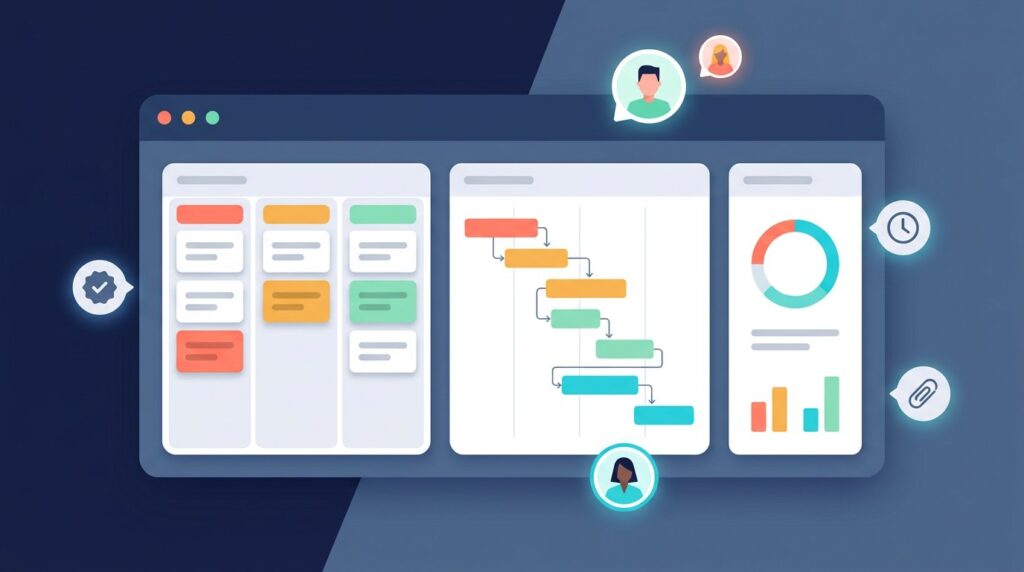
The views matter more than people expect. Kanban boards suit work that flows through stages. Gantt charts suit work with hard dependencies. Calendar views suit deadline-driven work. Meanwhile, dashboards suit the manager who only wants the headline.
Why Teams Outgrow Spreadsheets
Spreadsheets work fine at first. Honestly, for a team of three running one project, they may be all you need.
Cracks appear as you grow, though. Two people edit the same row. Nobody knows which copy is current. Updates depend on someone remembering to ask.
Then the chat problem arrives. Choices get made in messages, then vanish within a day. Files land in three places. New joiners cannot work out why anything happened.
Dedicated project management tools fix this by giving work a permanent home. A task holds its own history, files, and comments. So the context travels with the work instead of scattering across apps.
The Main Categories, Explained Simply
Forget rankings for a moment. Nearly all project management tools fall into one of five groups, and knowing the group narrows your choice fast.
Simple board tools keep things visual and light. Trello is the classic example. Setup takes minutes and people pick it up fast. Yet that same plainness becomes a ceiling once the work gets complex.
Agile and developer tools serve software teams. Jira is the long-time standard. Linear has grown fast with a speed-first approach. Both handle sprints, backlogs, and bug tracking well. However, they often feel heavy to other staff.
Flexible work platforms suit marketing, operations, and mixed teams. Asana, Monday.com, and Wrike sit here. They offer many views, strong automation, and reports that leaders actually read.
All-in-one workspaces try to replace several apps at once. ClickUp and Notion take this route. You get docs, tasks, goals, and wikis together. The trade-off is a busier screen and a longer setup.
Collaboration suites go further still. They add chat, meetings, and email. Lark is built this way, pairing messages, docs, calendars, and databases in one place. That suits teams tired of paying for five products.
Matching Project Management Tools to Your Team
Team size shapes your choice of project management tools more than anything else.
Small teams under ten should favour a quick setup. You have nobody to run a complex system, so pick something usable on day one. Trello, Notion, or a generous free plan will usually do.
Teams of ten to fifty need structure without red tape. This is where flexible platforms shine. You want automation, dashboards, and a way to run several projects side by side.
Large firms need governance. Permissions, audit trails, single sign-on, and portfolio reports stop being optional. Jira, Wrike, and enterprise tiers of the major platforms are built for that weight.
Work type matters just as much, though. Engineers need sprints and bug tracking. Agencies need time logs and client access. Marketing teams need campaign calendars and sign-off steps. So write down your real workflow before you read a single review.
What Pricing Really Looks Like
Published prices for project management tools mislead people, so treat them as a starting point only.
Most platforms follow the same shape. You get a free tier for small teams. Then come one or two paid tiers charged per user each month. Above those sits an enterprise tier with custom pricing. Entry paid plans usually land between five and fifteen dollars per user each month, billed yearly.
Free plans differ hugely, however. Some cap users tightly. Others cap features instead. Lark’s free tier covers up to 20 users with 100GB of storage. Its Pro plan runs $12 per user monthly on annual billing. Always check current numbers on the vendor’s own page, because prices change often.
Three hidden costs catch people out. First, the feature you need often sits one tier above the price you quoted. Time tracking and Gantt views are classic cases. Second, yearly billing earns the headline discount, so paying monthly costs more. Third, guest and viewer seats often cost less than full seats. That gap can cut a big bill sharply.
Then there is the cost nobody budgets. The move itself takes real hours. Training takes more. Therefore a pricier tool your team adopts fast often beats a cheap one they resist.
The Free Plan Question
Free tiers have grown truly capable. Many small teams never need to pay at all.
Look past the headline, though. Ask three questions. How many users does it cover? Which views come with it? How many automation runs do you get each month?
In practice, automation limits bite first. A few hundred runs sound like plenty until a single busy board consumes them in a fortnight.
Storage caps bite second. Teams that share design files or video hit that wall fast.
Still, starting free is smart. You learn your real needs by using a tool, not by reading about one.
How AI Changed These Platforms
Most project management tools now ship AI features, and the useful ones fall into three buckets.
Summarising works best. The tool reads a long thread and tells you where things stand. That saves genuine time for managers.
Drafting comes second. AI writes task lists, outlines, or status notes from a short prompt. You still edit the result, yet a rough draft beats a blank page.
Flagging risk is the most valuable when it works. The system spots a slipping deadline or an overloaded person before you do.
Doubt the marketing, though. AI cannot fix a team that never updates its tasks. Weak input still yields weak summaries. So test these features on a real project before you pay extra.
Integrations and Security Basics
Two things get checked late and cause the most regret. Integrations come first.
Your tool must talk to the apps you already run. Think calendar, storage, chat, and your code or design system. Most platforms cover the big names. However, depth varies a lot. Some offer a real two-way sync. Others just post a notification and stop there.
Marketplace size makes a poor yardstick, too. Three thousand listings help nobody if your one critical app is missing. So check your own shortlist of apps by name instead.
Security comes second, and it matters more as you grow. Look for role-based permissions, guest access that truly limits what outsiders see, and single sign-on if your firm requires it. Ask where the data lives as well, since some clients and regulators care about the country.
Finally, confirm who can delete things. Accidental deletion causes more pain than any breach most teams will ever face.
A Practical Way to Choose
Here is a process for testing project management tools that avoids the usual mistakes.
Start by putting your workflow on one page. List the stages work passes through. Note who touches it. Note what must happen before it moves on. That one page rules out most options at once.
Next, shortlist three tools, not ten. Any more and the choice stalls.
Then run a real trial. Pick one live project and run it fully in each option for two weeks. Demos always look good, so use your own messy work instead.
Ask the quiet team members what they think afterwards. Enthusiasts adapt to anything. Adoption rests on the reluctant people, so their verdict predicts your result better.
Finally, check the exit before you sign. Can you export your data in a form you can use? Tools that make leaving hard deserve extra care.
Mistakes That Waste Money on Project Management Tools
Certain errors show up again and again, and all are avoidable.
Buying for features you might need someday is the most common. You pay for that depth now and never use it. Buy for the work you have today.
Skipping setup is the next one. A tool with no agreed structure turns messy within weeks. Agree your naming, statuses, and permissions before anyone else joins.
Running two systems at once is the quiet killer. Half the team uses the new tool. Half stays in the old one. So nobody trusts either. Pick a switch-over date and hold it.
Lastly, do not leave ownership to chance. Someone must tend the templates and structure on purpose. Otherwise entropy wins.
Frequently Asked Questions
What are project management tools in simple terms?
Project management tools are shared systems that track who is doing what, by when, and what stands in the way. They swap scattered sheets, chats, and email threads for one place everyone can see.
Which tool is best for a small team?
Something you can set up in an afternoon. Trello, Notion, or a roomy free tier usually fits. Small teams should value quick uptake over feature depth.
Do I need to pay for good software?
Not always. Free plans now cover a lot, especially for teams under ten. You start paying when you need more users, more automation, or reports for managers.
How long does it take to switch tools?
Plan for a few weeks, not a few days. Exporting data is quick. Agreeing on structure and retraining people eats most of the time.
What is the difference between a work platform and a suite?
Work platforms focus on tasks, views, and reporting. A collaboration suite adds chat, meetings, and docs. It aims to replace several separate bills at once.
Can one tool serve engineering and marketing together?
Yes, though it takes effort. Flexible platforms and all-in-one workspaces handle mixed teams best. Agile tools built for coders rarely suit other staff.
Conclusion
Choosing between project management tools gets far easier once you stop chasing rankings. No single platform wins for everyone. There is only a best fit for your team size, your work type, and your budget.
So work outward from your own needs. Write your workflow down first. Sort the market into groups rather than one long list. Shortlist three, then pilot them with real work rather than a sales demo.
Watch the total cost too. Check which tier your must-have feature sits in. Count the hours the move will eat. Then commit fully. Set the structure before people arrive, and give the change a firm switch-over date. Do it that way and the tool fades into the background. That is exactly where good software belongs.