
Seedance 2.5 is ByteDance's latest AI video generation model, and it can create native 30 second videos in a single pass with up to 50...

Seedance 2.5 is ByteDance’s latest AI video generation model, and it can create native 30 second videos in a single pass with up to 50 multimodal references. Before committing to any AI video tool, trialing Seedance 2.5 is the smart move, and a structured trial helps businesses test quality, cost, and fit before they adopt an AI video workflow. This guide explains what the model offers, why trialing it matters, and the ten proven steps to trial Seedance 2.5 successfully.

AI video has moved from experiment to production, and Seedance 2.5 is one of the models leading that change. Seedance 2.5 generates native 30 second videos in a single pass, supports up to 50 multimodal references, and offers region level editing, which makes Seedance 2.5 attractive to marketing teams, agencies, and creators.
But adopting any new tool without testing is risky, and trialing Seedance 2.5 before you adopt it is the responsible way to decide. This guide walks through what Seedance 2.5 does, why a Seedance 2.5 trial matters, and the ten proven steps to trial Seedance 2.5 and evaluate it for your workflow.
What Is Seedance 2.5?
Seedance 2.5, explained simply, is the latest AI video generation model from ByteDance, and it was released in July 2026. It builds on the Seedance family of models, and it introduces capabilities that move AI video closer to production ready output.
The headline feature is native 30 second video generation. Where most AI video models produce clips of 5 to 15 seconds that must be stitched together, the model creates a full 30 second video in one pass, with no stitching, consistent characters, and continuous motion and lighting.
The model also supports up to 50 multimodal references, including images, video, audio, and text, and it lets creators define characters, products, styles, and sounds before writing the prompt. It offers region level editing, so a team can fix one detail without regenerating the whole video, and it supports higher quality output for commercial use.
For businesses, the promise is a shorter path from brief to finished video, and trialing the model is how businesses test whether that promise holds for their own content.
Why Trial Seedance 2.5 Before Adopting It
Trialing Seedance 2.5 before adopting it is smart for several reasons, and the trial is what separates informed adoption from guesswork.
AI video is new territory. The model is a recent release, and every model behaves differently with real business content, so a trial reveals how it performs with your prompts, products, and brand style.
Quality varies by use case. The model may excel at product demos but need more work on dialogue or specific motion, and a structured trial shows which use cases fit your business.
Costs need measuring. Generation has real compute costs, and a trial lets you measure cost per usable video before you commit budget.
Workflow fit matters. The model needs to fit your team’s editing and approval process, and a trial tests the integration, not just the output.
Vendor claims need verification. Marketing pages make promises, and a hands on trial verifies what the model actually delivers for your content.
The result is that a well run trial gives your team the evidence to adopt the model with confidence, or to pass with clarity, and either outcome is valuable.
The 10 Proven Steps to Trial Seedance 2.5
These ten steps form a practical trial, and each one moves you from curiosity to a confident decision about Seedance 2.5.
Step 1: Define Your Trial Goals for Seedance 2.5
The first step in any Seedance 2.5 trial is clarity about what you want to learn. Write down the specific questions you need answered about Seedance 2.5, such as whether the model can produce consistent product videos, how fast it generates a 30 second clip, and whether its quality matches your brand standards. Clear goals make the Seedance 2.5 trial measurable.
Step 2: Choose Real Content for the Seedance 2.5 Trial
Test the model with real business content, not generic examples. Use an actual product, a real script, or an existing brand asset in the trial, because the results you get with your real content are the results that matter. A trial with realistic materials gives you trustworthy answers.
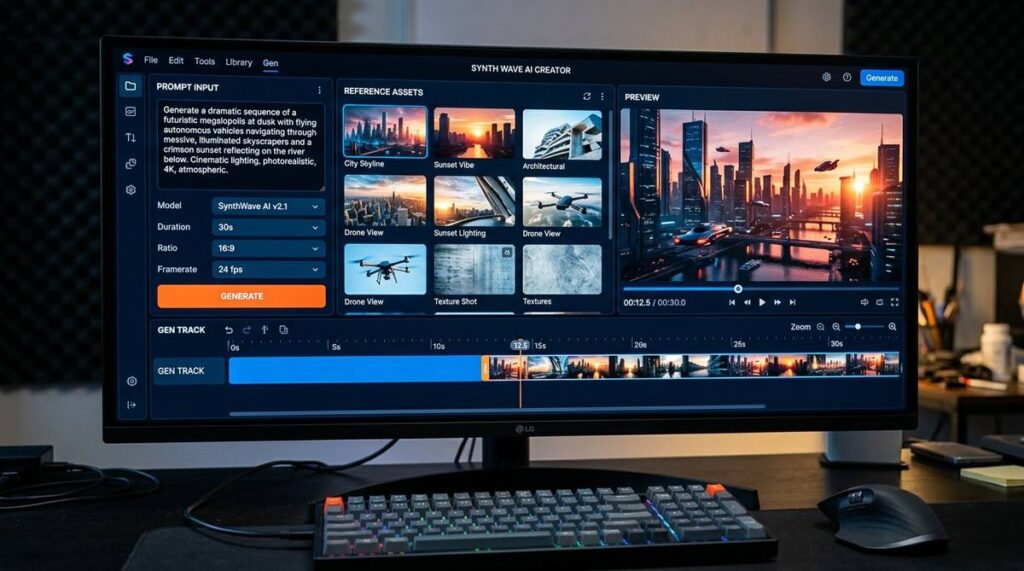
Step 3: Prepare Reference Assets for Seedance 2.5
The model supports up to 50 multimodal references, and preparing good references is central to a strong trial. Gather product images, brand style examples, and audio or motion references before the trial, because the quality of the output depends heavily on the quality of the references you provide.
Step 4: Run Multiple Seedance 2.5 Generations
One generation is not a trial. Run several variations with different prompts, references, and style directions, because the model is probabilistic and results vary, and multiple runs show the range of what it can produce.
Step 5: Test the 30 Second Capability of Seedance 2.5
Make a full 30 second generation a core part of the trial, because native 30 second output is the model’s defining advantage. Test whether the 30 second video maintains character and lighting consistency across the full clip, and evaluate whether the result is genuinely usable.
Step 6: Try Region Level Editing in Seedance 2.5
The model supports targeted edits, so include editing in the trial. Ask the tool to change one element, such as a product color or background, and see whether it preserves the rest of the scene, because controllable editing is a major workflow benefit.
Step 7: Measure Seedance 2.5 Quality Against Your Standards
Build a simple scorecard for the Seedance 2.5 trial. Rate each output on visual quality, brand consistency, prompt adherence, and usability, and have more than one person score the results, because a trial that only one person judges is easy to bias.
Step 8: Calculate the Real Cost of Seedance 2.5
Track the cost of the Seedance 2.5 trial in detail. Record how many generations you ran, how many outputs were usable, and the cost per usable video, and compare that cost against your current video production cost, because the economics are central to the adoption decision.
Step 9: Involve the Team Who Will Use Seedance 2.5
Include the editors, marketers, and reviewers who would work with Seedance 2.5 in the trial, because the team’s reaction determines whether adoption succeeds. Ask the team whether the model fits their workflow and whether they would use it in production, and let the trial reflect real opinions.
Step 10: Decide Based on the Seedance 2.5 Trial Evidence
The final step is the decision. Review everything the trial taught you, compare it against your goals, and decide whether to adopt the model, run a broader pilot, or move on. A disciplined trial makes this decision easy, because you will have evidence instead of guesswork.
What Seedance 2.5 Does Well
Understanding what the model does well helps you design a better trial, and its strengths are well documented.
Native 30 second videos. The model creates a full 30 second clip in one pass, and this is its standout capability for storytelling, product demos, and cinematic sequences.
Fifty multimodal references. The model accepts up to 50 inputs, which means it can coordinate multiple characters, products, and style cues in a single generation.
Region level editing. The model lets you refine specific parts of a scene without regenerating everything, and this capability saves time and preserves good takes.
Consistent characters. The model maintains character appearance and lighting across longer clips, and this consistency is a major improvement over earlier models.
Controllable pacing. The model supports second by second creative control, so teams can fine tune timing and emotion within the output.

Where Seedance 2.5 May Need Care
A good trial also probes the limits of the model, and knowing where it may need care makes the trial honest.
Complex dialogue. The model may handle short dialogue better than long conversations, and your trial should test any dialogue your content requires.
Very complex motion. While Seedance 2.5 handles motion well, extreme physics or rapid camera moves can still produce artifacts, and the Seedance 2.5 trial shows what your content needs.
Cost at scale. Longer, higher quality generations use more compute, and the trial should model what volume production would cost.
Prompt skill. Seedance 2.5 rewards well structured prompts and references, and the Seedance 2.5 trial should include the learning curve your team will face.
Testing these areas in the trial prevents surprises after adoption, and an honest trial is the best risk management.
How to Structure a Seedance 2.5 Pilot After the Trial
If the trial looks promising, the next step is a small pilot before full adoption, and the pilot extends the trial into real production.
Choose one real project for the pilot, such as a product launch video or a social campaign, and use the model for the full production of that project. Set clear success criteria, including quality, cost, and turnaround, and compare the pilot results against your baseline production. Involve the whole workflow in the pilot, from generation to editing to approval, and document what it teaches the team.
A successful pilot gives you the final evidence to adopt the model at scale, and a weak pilot tells you what to adjust before you commit, which is exactly why the pilot follows the trial.
How Businesses Use Seedance 2.5 in Practice
Businesses that adopt the model use it across several content types, and understanding these use cases helps you design your trial.
Product demos. The model creates polished product videos from reference images, and the trial should test a product demo because it is the most common business use.
Social campaigns. The model produces short, punchy social videos, and the trial can test whether it matches your social style.
Brand storytelling. The model supports longer cinematic sequences, and the trial can explore a brand story with consistent characters.
Multilingual content. The model can adapt language and typography across regions, and the trial can test localized versions of one video.
Ecommerce visuals. The model generates product focused videos for listings and ads, and the trial can test ecommerce creative.
Pick the use cases that matter most to your business for the trial, because the trial should answer the questions you actually face.
How a Trial Fits Into a Larger Adoption Plan
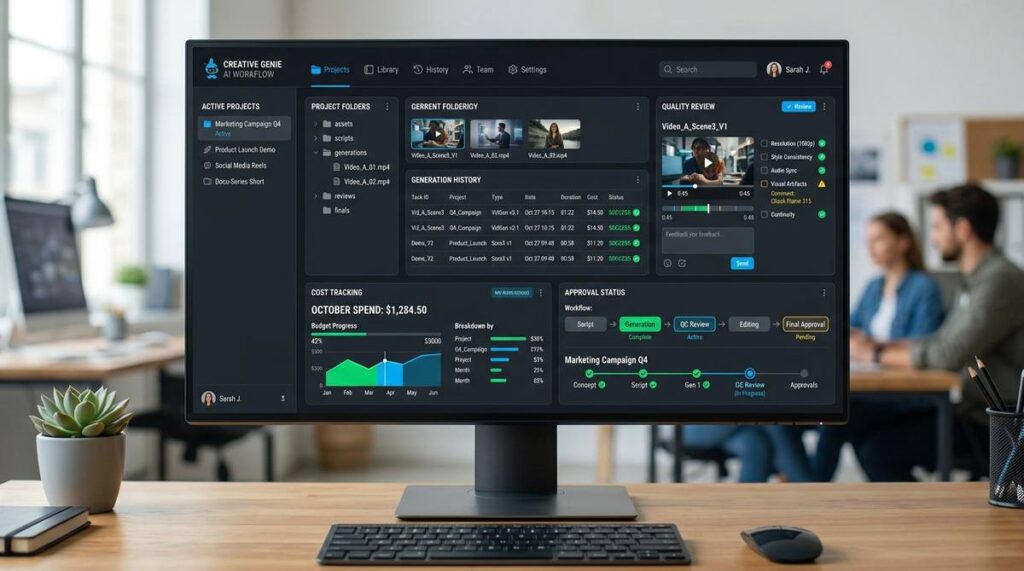
A trial is not the end of the journey, it is the beginning of a structured adoption plan, and thinking about the whole path makes the trial more useful. Most teams move through four phases: research, trial, pilot, and scale, and each phase answers a different question before the next one begins.
Research is about identifying options and shortlisting the models worth testing. The trial tests one candidate against your real content and measures whether it can do the job. The pilot uses the winner on one real project to confirm it works in production. Scale expands to more projects and teams only after the pilot succeeds.
The value of this sequence is that each phase limits risk and spending. You do not commit a large budget until a small test has passed, and you do not build a full workflow around a tool until a real project has succeeded with it. The trial is the keystone of this plan, because it is the first point where the tool meets your actual work.
Documenting each phase matters. Keep the trial results, the pilot decisions, and the reasons behind them, because that record becomes the basis for future evaluations and helps new team members understand why the tool was chosen. A documented adoption path also makes the process repeatable for the next tool your team evaluates.
None of this is complicated, but it is disciplined, and discipline is what separates teams that adopt tools successfully from teams that chase every new model.
Building a Scorecard for AI Video Quality
A scorecard turns subjective impressions into decisions, and a simple scoring system makes an AI video evaluation much more reliable. Rate each output on a small set of criteria, such as visual quality, brand consistency, prompt adherence, and usability, and use a consistent scale so results can be compared across generations and across models.
Visual quality covers sharpness, color, and how natural the motion looks. Brand consistency checks whether logos, colors, and products match your standards. Prompt adherence measures how closely the output follows what you asked for. Usability asks whether you could publish the result with minor edits or whether it needs a full rework.
The scorecard works best when several people use it. Have a designer, a marketer, and a decision maker each score the same outputs, then discuss the differences, because the discussion often reveals what matters most to your business. A shared scorecard also creates a record you can revisit when comparing options later.
Keep the scorecard lightweight. Ten criteria become a chore, while four or five focused criteria get used consistently, and a scorecard that gets used is worth more than one that is perfectly designed but ignored.
Estimating the Cost of an AI Video Workflow
Cost estimation is the part of evaluation that most teams postpone, but a simple model removes the guesswork. Start with the number of videos you produce in a typical month, then estimate how many generations each finished video requires, because AI video rarely lands on the first attempt.
The total is straightforward to calculate. Multiply the number of videos by the generations per video, then by the cost per generation, and add the time your team spends on prompting, editing, and review. The result is a realistic monthly cost for the workflow, and it is the number you should compare against your current production cost.
Volume changes the math. A team producing five videos a month faces a different cost picture than a team producing fifty, and the estimate should model the volume you actually expect rather than a single best case. Scaling assumptions should be explicit, because they drive the decision.
There is also a quality premium to consider. Higher resolution and longer generations cost more, but they may save editing time, and the trade off between generation cost and post production time is part of the real economics of any AI video tool.
Frequently Asked Questions
- What is Seedance 2.5? Seedance 2.5 is ByteDance’s latest AI video model that generates native 30 second videos with up to 50 multimodal references.
- How is Seedance 2.5 different from earlier AI video models? Seedance 2.5 creates 30 second videos in a single pass, while most models produce shorter clips that must be stitched together.
- How long does Seedance 2.5 take to generate a video? Generation time varies by length and quality, and a Seedance 2.5 trial will show you realistic times for your content.
- What can Seedance 2.5 do with references? Seedance 2.5 accepts up to 50 references, including images, video, and audio, to control characters, products, and style.
- Can Seedance 2.5 edit part of a video? Yes, Seedance 2.5 supports region level editing, so you can change one detail without regenerating the whole video.
- How much does Seedance 2.5 cost to use? Cost depends on video length, quality, and volume, and tracking cost is a core part of a Seedance 2.5 trial.
- Is Seedance 2.5 good for product videos? Seedance 2.5 is strong for product demos and commercial content, and a Seedance 2.5 trial can verify the fit for your products.
- Should my business trial Seedance 2.5 before adopting it? Yes, a structured Seedance 2.5 trial measures quality, cost, and workflow fit before you commit to an AI video workflow.
Conclusion
Seedance 2.5 is a significant step forward in AI video, with native 30 second generation, up to 50 multimodal references, and region level editing, and Seedance 2.5 is genuinely capable of production quality content. But the smart path for any business is to trial Seedance 2.5 before adopting it, and the ten steps in this guide turn that trial into a measurable process.
Define your Seedance 2.5 trial goals, use real content, prepare references, run multiple generations, test the 30 second capability and editing, score the Seedance 2.5 output, measure the real cost, involve the team, and decide on evidence, and the Seedance 2.5 trial will tell you exactly whether an AI video workflow built around Seedance 2.5 fits your business.
If the Seedance 2.5 trial looks good, follow it with a small Seedance 2.5 pilot on one real project, and then scale with confidence. The honest picture is that Seedance 2.5 is powerful but not magic, and a well run Seedance 2.5 trial separates the hype from the reality. Whether you are a marketing leader, an agency, or a creator, trialing Seedance 2.5 deliberately is the professional way to decide, and this guide gives you the framework to trial Seedance 2.5 and adopt it with confidence.