
Online shopping has made receiving goods easier than ever, but waiting for an important shipment can still create uncertainty. Knowing how to track package delivery...
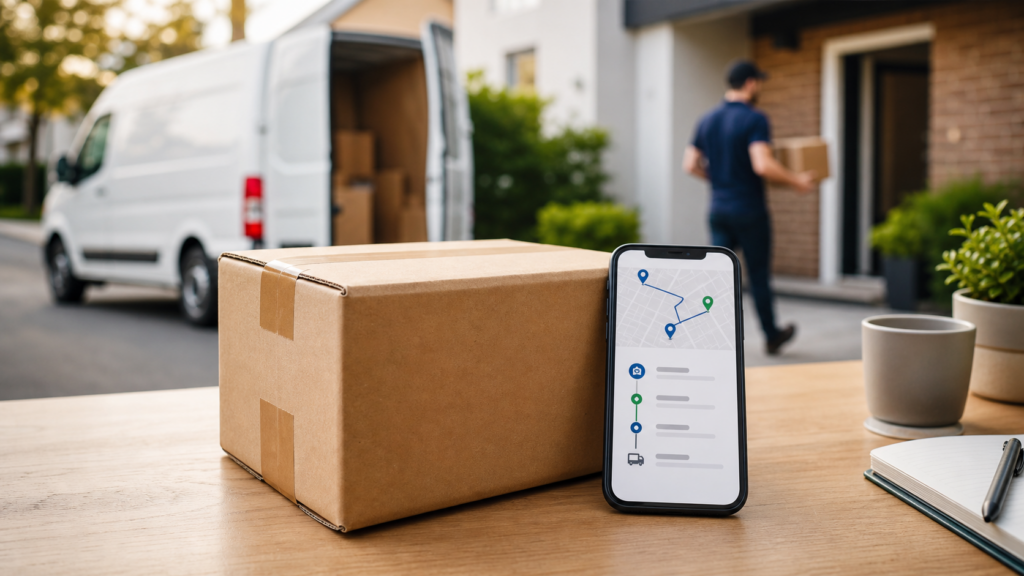
Online shopping has made receiving goods easier than ever, but waiting for an important shipment can still create uncertainty. Knowing how to track package delivery progress gives you a clearer view of where your parcel is, what stage of the shipping process it has reached, and whether there may be a delay. Instead of wondering when a package will arrive, tracking information can help you follow its journey from the moment it is accepted by a carrier until it reaches its final destination.
Package tracking is useful for everyday online orders, business shipments, gifts, replacement products, documents, and international deliveries. Modern logistics networks create updates whenever a shipment reaches an important checkpoint, allowing customers to monitor movement without contacting the sender or delivery company every few hours.
Understanding those updates is equally important. Tracking pages often contain terms such as “in transit,” “out for delivery,” “arrived at facility,” or “delivery exception.” Knowing what each status means can help you interpret your shipment more accurately and decide whether you need to take action.
What Does Package Delivery Tracking Mean?
Package delivery tracking is the process of following a shipment as it moves through a courier or postal network.
Most trackable shipments receive a unique tracking number. This number connects the parcel to electronic records created during the shipping process.
Each time the package reaches a sorting facility, distribution center, local depot, customs checkpoint, or delivery route, its status may be updated.
Tracking does not physically follow a parcel every second. Instead, it provides a sequence of recorded events that show where the shipment was processed and what is expected to happen next.
For most customers, this information provides enough visibility to understand whether the parcel is moving normally.
How Package Tracking Works
A typical package passes through several stages before reaching the recipient.
The exact journey depends on the carrier, shipping service, distance, destination, and whether the package crosses international borders.
The Shipping Label Is Created
The process normally begins when the sender prepares a shipping label.
At this point, a tracking number may become active even though the parcel has not yet entered the carrier’s network.
You might see a status such as:
- Label created
- Shipping information received
- Pre-shipment
- Order information received
- Awaiting carrier pickup
These messages usually mean that shipment details have been submitted electronically.
They do not necessarily mean the courier already has the parcel.
The Carrier Accepts the Package
The next important stage occurs when the carrier physically receives the shipment.
This may happen through a scheduled pickup, drop-off location, warehouse collection, or postal counter.
Once the parcel enters the shipping network, the tracking page will usually show an acceptance or origin scan.
From this point, more detailed movement updates generally begin appearing.
The Parcel Reaches a Sorting Facility
Carriers operate distribution facilities where packages are sorted based on their destinations.
A parcel may travel through several facilities before reaching the recipient’s area.
Tracking updates may show that the shipment:
- Arrived at a facility
- Departed a facility
- Reached a regional distribution center
- Was processed through a sorting center
- Is moving to the next facility
Several similar updates can appear during long-distance shipments.
The Package Moves Toward the Destination
Once the package leaves its origin region, the tracking status often changes to “in transit.”
This is one of the most common shipment statuses.
It generally means the parcel is moving through the delivery network toward its destination.
The package may be transported by truck, aircraft, rail, or a combination of methods.
The Parcel Reaches the Local Delivery Area
Before final delivery, a shipment normally reaches a facility close to the recipient’s address.
The tracking page may display terms such as:
- Arrived at local facility
- Destination facility
- Local delivery depot
- Preparing for delivery
- Processing at delivery center
This usually means the package is approaching the final stage of its journey.
The Package Goes Out for Delivery
“Out for delivery” is one of the most anticipated tracking updates.
It normally means the package has been assigned to a delivery route and is expected to be delivered that day.
However, unexpected circumstances can sometimes prevent delivery even after this status appears.
Traffic, severe weather, access problems, route capacity, incorrect addresses, or operational disruptions may cause the parcel to return to a local facility.
Why People Track Package Delivery Progress
Tracking is useful for much more than satisfying curiosity.
It can help recipients plan around deliveries and notice potential problems sooner.
Know When Your Parcel Is Moving
The most basic benefit of tracking is visibility.
You can see whether your shipment has entered the delivery network and whether it continues moving toward your location.
If several days pass without an update, you can investigate rather than simply waiting without information.
Plan for Important Deliveries
Some shipments require someone to be available at the delivery address.
This is especially relevant for expensive items, important documents, large packages, or shipments that require a signature.
Monitoring tracking information can help you prepare for the expected delivery date.
Identify Possible Delays
Tracking can reveal when a package experiences an unusual interruption.
A delay may appear as:
- Delivery exception
- Shipment delayed
- Weather delay
- Customs hold
- Address issue
- Attempted delivery
- Operational delay
Recognizing these messages early gives you an opportunity to understand what may be happening.
Reduce the Risk of Missed Deliveries
When you know a parcel is approaching your area, you may be able to make arrangements for receiving it.
Depending on the carrier and delivery options available, you might be able to adjust delivery instructions, select a pickup point, or ensure someone is present.
Track Multiple Online Purchases
People often order from several online stores at the same time.
Keeping track of multiple parcels can become confusing when different carriers handle each order.
Checking each tracking number provides a clearer picture of which packages are still moving, which have arrived locally, and which have already been delivered.
Common Package Tracking Statuses Explained
Tracking messages can sometimes seem vague.
Understanding common terms makes shipment updates easier to interpret.
Label Created
This usually means a shipping label and tracking number have been generated.
The package may still be with the seller.
Do not assume the parcel has entered the courier network until an acceptance or pickup scan appears.
Accepted by Carrier
This indicates that the carrier has received the package.
The shipment should begin moving through the logistics network after processing.
In Transit
“In transit” generally means the parcel is moving toward its destination.
It does not necessarily mean the package is currently inside a moving vehicle.
It may temporarily be inside a sorting facility while waiting for the next transportation stage.
Arrived at Facility
The parcel has reached a carrier processing or distribution facility.
It will normally be sorted and then sent toward another facility or the local delivery area.
Departed Facility
This usually means the shipment has left the listed location and is moving toward another checkpoint.
Out for Delivery
The package has typically reached the final delivery stage and has been assigned to a local route.
Delivery may happen later that day, although schedules can change.
Delivered
The carrier has recorded the shipment as delivered.
The tracking details may sometimes indicate where the package was left, such as near an entrance, reception area, mailbox, or another approved location.
Delivery Attempted
The courier tried to deliver the package but could not complete the delivery.
Possible reasons include:
- No one was available for a required signature
- The delivery location was inaccessible
- The address could not be confirmed
- A secure delivery location was unavailable
The tracking page may provide information about another attempt or pickup options.
Delivery Exception
A delivery exception means something has interrupted the normal shipment process.
It does not automatically mean the package is lost.
Weather conditions, customs processing, damaged labels, transportation problems, or address issues can all create exceptions.
Pending
A pending status generally means an expected delivery time cannot currently be confirmed.
The shipment may still be moving through the network.
Waiting for the next scan often provides more information.
How to Track Package Delivery Progress Correctly
Following a shipment is usually straightforward when you have the correct tracking information.
Find Your Tracking Number
The tracking number may appear in:
- Your order confirmation
- Shipping confirmation email
- Online store account
- Marketplace order page
- Seller message
- Shipping receipt
- Text notification
Tracking numbers vary significantly in length and format.
Always copy the entire number accurately.
Enter the Tracking Number Carefully
A single incorrect letter or number may prevent the shipment from appearing.
Copy and paste the tracking number whenever possible to reduce typing mistakes.
If tracking does not work immediately after an order ships, the number may simply need time to become active.
Review the Latest Shipment Event
Look at the most recent status rather than focusing only on the estimated delivery date.
The latest event usually provides the clearest indication of what is happening with the shipment.
Check:
- Current status
- Latest location
- Date and time of update
- Estimated delivery date
- Any exception or warning message
These details can help you understand whether the parcel is progressing normally.
Why Has My Tracking Information Not Updated?
A tracking page can occasionally remain unchanged for a day or longer.
This does not always indicate a problem.
The Package Is Traveling Between Facilities
Long-distance transportation may occur without intermediate scans.
A parcel could spend many hours moving between major distribution centers before the next tracking event appears.
Tracking Information Has Not Synced Yet
Shipment systems sometimes experience delays when processing newly recorded events.
A scan may occur before it becomes visible on a public tracking page.
The Parcel Is Waiting for Processing
High shipping volumes can temporarily create backlogs at distribution facilities.
Packages may wait for sorting or transportation before receiving another update.
Weekends and Holidays Can Affect Movement
Shipping schedules may differ during weekends, public holidays, and peak shopping periods.
Some delivery services continue operating, while others have reduced processing or delivery schedules.
The Tracking Number Was Created Before Shipment
One of the most common reasons for missing updates is that the seller generated the shipping label before handing the parcel to the carrier.
A package may remain at “label created” until the carrier physically receives it.
How Long Should You Wait Before Checking Again?
Repeatedly refreshing a tracking page every few minutes is unlikely to reveal meaningful changes.
Most tracking events appear when a package reaches a logistics checkpoint.
For a shipment that is moving normally, checking once or twice a day is often enough.
If an expected delivery date passes without an update, reviewing the latest tracking event becomes more important.
A short delay does not necessarily mean the parcel is lost.
Shipping networks can experience temporary interruptions that resolve without customer action.
What Causes Package Delivery Delays?
Many different factors can affect shipment timing.
Severe Weather
Snowstorms, floods, heavy rain, hurricanes, extreme heat, and other weather conditions can disrupt transportation and local deliveries.
Carriers may delay routes when operating conditions become unsafe.
High Shipping Volume
Major sales events and holiday seasons can significantly increase the number of packages moving through distribution networks.
Sorting centers and delivery routes may require additional processing time.
Incorrect or Incomplete Address
Missing apartment numbers, incorrect postal codes, spelling errors, or incomplete street details can delay delivery.
Accurate shipping information is especially important when ordering online.
Transportation Problems
Mechanical problems, flight disruptions, road closures, and other logistical issues can temporarily interrupt shipment movement.
Customs Processing
International packages may need to pass through customs before entering the destination country’s delivery network.
Processing time can vary based on documentation, shipment type, destination regulations, and inspection requirements.
Failed Delivery Attempts
If delivery requires a signature or secure access, a courier may be unable to complete delivery on the first attempt.
The package may return to the local facility until another attempt can be arranged.
Tracking International Packages
International shipping often produces more complex tracking histories than domestic deliveries.
A parcel may pass through:
- An origin postal facility
- Export processing
- An international transportation hub
- Destination customs
- Import processing
- A local postal or courier network
- A local delivery depot
Tracking terminology may change after the parcel reaches another country.
In some cases, one carrier handles the package in the origin country while a different delivery provider completes the final stage.
This can result in temporary gaps between updates.
What Does Customs Clearance Mean?
Customs clearance is an important part of many international shipments.
Packages entering another country may need to be reviewed by customs authorities before moving to local delivery.
The parcel may be checked for:
- Accurate documentation
- Declared contents
- Import restrictions
- Applicable duties or taxes
- Required permits
A customs status does not necessarily indicate a problem.
Many international shipments pass through customs as part of the normal delivery process.
Estimated Delivery Date vs. Guaranteed Arrival
An estimated delivery date provides a predicted arrival window based on normal shipping conditions.
It should not always be interpreted as a guarantee.
The estimate can change if the parcel encounters:
- Weather disruptions
- Unexpected routing changes
- Customs delays
- High package volumes
- Transportation issues
- Address problems
When monitoring your shipment, consider both the estimated delivery date and the most recent tracking activity.
Recent movement can often provide more useful context than an older estimate.
What to Do If Your Package Says Delivered but You Cannot Find It
Seeing “delivered” when no parcel is visible can be frustrating.
Before assuming the shipment is missing, check several possible locations.
Look Around the Delivery Area
Couriers may place packages in protected or less visible areas.
Check:
- Front entrance
- Side door
- Back entrance
- Porch
- Mailbox area
- Garage
- Building reception
- Package room
- Secure parcel locker
Ask Other Household Members
Someone else may have accepted the parcel without telling you.
Check With Neighbors or Building Staff
In some situations, a package may be left with reception staff, building management, or a nearby resident.
Allow a Short Amount of Time
Occasionally, a parcel may receive a delivery scan shortly before the physical handoff is fully completed.
If the shipment remains missing, contacting the seller or carrier may be appropriate.
What to Do When a Package Appears Stuck in Transit
A package can sometimes remain on the same status for several days.
First, compare the delay with the original estimated delivery window.
If the shipment is still within that period, it may simply be moving without additional scans.
For longer delays, verify:
- The latest location
- Date of the last scan
- Whether a delay notice is displayed
- Whether the destination address is correct
- Whether the shipment is international
- Whether severe weather may be affecting the route
If there is no movement well beyond the expected timeline, contacting the seller or delivery provider can help determine the next step.
Tips for Tracking Multiple Packages More Easily
Managing several shipments becomes easier with a simple system.
Keep Tracking Numbers Together
Save tracking numbers in one place rather than searching through separate confirmation messages each time.
Check the Latest Event First
The most recent tracking event usually contains the most useful information.
Pay Attention to Delivery Exceptions
Routine transit scans normally require no action.
Exceptions involving addresses, customs, signatures, or failed delivery attempts deserve closer attention.
Review Delivery Dates Regularly
Estimated dates can change as more shipment information becomes available.
Checking updated estimates can help you plan more effectively.
Avoid Sharing Tracking Numbers Publicly
Tracking numbers can reveal shipment information.
Treat them as private order details and avoid posting them publicly unless necessary.
Package Tracking for Online Businesses
Tracking is valuable for businesses as well as individual shoppers.
Customers expect greater visibility after placing online orders.
Providing shipment information allows buyers to monitor deliveries without repeatedly asking sellers for updates.
For businesses, accurate tracking can also help with:
- Customer service
- Delivery issue investigation
- Order management
- Return handling
- Shipment documentation
- Customer expectations
Clear shipment visibility can reduce confusion when delivery times change.
Why Tracking Does Not Always Show an Exact Location
Customers sometimes expect parcel tracking to work like real-time GPS.
Most shipment tracking systems do not provide continuous live positioning.
Instead, tracking is generally based on scans recorded at specific checkpoints.
For example, a package may receive a scan when it enters a regional sorting center and another when it leaves.
Between those two events, the exact physical location may not be displayed.
This explains why tracking information can appear unchanged even while a package is moving hundreds of miles.
How to Read Tracking Information More Effectively
Tracking information becomes more useful when you look at it as a timeline rather than a single status.
Start with the earliest event and follow the sequence.
A normal shipment might look like this:
Label created.
Carrier received package.
Departed origin facility.
Arrived at regional sorting center.
Departed regional facility.
Arrived at destination facility.
Out for delivery.
Delivered.
This sequence demonstrates steady progress even if several hours or days pass between individual events.
When Should You Contact the Seller?
The seller may be the best first point of contact when:
- Tracking never becomes active
- The carrier does not appear to have received the parcel
- The wrong tracking number was provided
- The shipment is significantly overdue
- You received the wrong package
- The package arrives damaged
- The order shows delivered but remains missing
The seller may have shipment records that are not visible on the customer-facing tracking page.
When Should You Contact the Carrier?
Contacting the delivery company may be useful when:
- A delivery attempt failed
- Address clarification is needed
- The package is being held for pickup
- A shipment has remained at one facility unusually long
- Delivery instructions need attention
- Tracking shows an unexplained exception
Have your complete tracking number available when seeking assistance.
How Delivery Tracking Improves the Online Shopping Experience
The period between placing an order and receiving it used to involve considerable uncertainty.
Modern tracking has made the delivery process much more transparent.
Customers can now see when an order enters the shipping network, travels between regions, reaches a local depot, and goes out for final delivery.
This visibility helps shoppers set realistic expectations.
It also allows them to react more quickly when something unusual happens.
Tracking cannot prevent every shipping delay, but it can make those delays easier to understand.
Conclusion
Learning how to track package delivery progress can make online shopping and shipping much easier to manage. A tracking number provides a timeline of important shipment events, from label creation and carrier acceptance to transit, local processing, and final delivery. Understanding common tracking statuses can also help you distinguish normal shipping activity from situations that may require attention. While tracking does not always provide an exact real-time location, it offers valuable visibility into a parcel’s journey. By checking recent scans, reviewing estimated delivery information, watching for exceptions, and taking action when a shipment remains delayed for an unusual amount of time, you can stay better informed from dispatch until your package reaches its destination.
Frequently Asked Questions
How can I track package delivery progress?
You can track package delivery progress by entering the shipment’s tracking number into a compatible tracking service or the delivery provider’s tracking system. Review the most recent status, location, and estimated delivery information.
What does “in transit” mean for a package?
“In transit” generally means your package is moving through the shipping network toward its destination. It may be traveling between facilities or temporarily waiting for the next processing stage.
Why has my package tracking not updated?
Tracking may not update while a package is traveling between facilities, waiting to be sorted, or experiencing a system delay. Label-created shipments may also remain unchanged until the carrier receives the parcel.
Does “out for delivery” mean my package will definitely arrive today?
It usually means the parcel has been assigned to a local delivery route. Most packages are delivered that day, but weather, access problems, route delays, or other issues can occasionally postpone delivery.
What should I do if my tracking says delivered but there is no package?
Check entrances, porches, mail areas, parcel lockers, reception desks, household members, and nearby neighbors. If the package remains missing, contact the seller or delivery provider for assistance.
How long can a package stay in transit?
Transit time depends on the shipping service, distance, carrier network, destination, weather, and whether customs clearance is required. A few days without a scan does not always indicate that a package is lost.
Can I track an international package?
Yes. Many international shipments provide tracking from the origin country through customs and into the destination delivery network. Updates may temporarily pause when the shipment moves between carriers.
What does a delivery exception mean?
A delivery exception means an unexpected event has interrupted normal shipment progress. Common causes include severe weather, address problems, customs processing, transportation disruptions, or failed delivery attempts.